
You turn on your Keurig, place a K-Cup in the brewer, and wait for your morning coffee. But when you take the first sip, something feels wrong. The coffee is warm or lukewarm instead of hot.
It can be frustrating, especially when you expect a fresh, hot cup before starting your day.
A Keurig coffee maker that does not produce hot enough coffee does not always have a broken heating system. A cold mug, incomplete heating cycle, low temperature setting, or mineral buildup can affect the final drink.
The good news is that you can check several things before considering a repair or replacement.
In this guide, I will explain why your Keurig coffee is not hot enough, how to test its heating performance, and which fixes are worth trying first.
Quick Answer: Why Is My Keurig Coffee Not Hot Enough?
Your Keurig coffee may not be hot enough because the brewer has not finished heating, the temperature setting is too low, or mineral deposits are affecting its performance. A cold ceramic mug can also absorb heat and make the coffee feel cooler.
Start by allowing the brewer to finish its heating cycle. Preheat your mug, check the available temperature settings, and run a water-only brew if your model supports it. If the water itself is not hot after these checks, follow the recommended descaling procedure and contact Keurig support if the problem continues.
What Temperature Should Keurig Coffee Be?
There is no single serving temperature that applies to every Keurig model.
For example, the Keurig K-Elite allows you to adjust its brewing temperature between 187°F and 192°F (approximately 86°C to 89°C). However, the temperature of the coffee reaching your cup can be different.
The mug material, beverage size, and brewing conditions can affect the final temperature.
This is why you should not assume that your coffee maker is broken simply because the temperature in your mug does not match the brewer’s selected temperature.
You can check the temperature options for your machine in the official Keurig K-Elite Use and Care Guide.
Why Is Your Keurig Coffee Coming Out Lukewarm?
Before trying different fixes, identify when the coffee feels cold.
The following table can help you narrow down the possible cause.
| What You Notice | Possible Cause | What to Check First |
|---|---|---|
| First cup is not hot enough | Brewer needs more heating time | Ready indicator |
| Second cup feels cooler | Heating between cycles | Reheating time |
| Coffee feels cooler in a cold mug | Mug absorbs heat | Preheat the mug |
| Every cup is lukewarm | Temperature setting or heating issue | Model settings |
| Coffee is hot but cools quickly | Cup or cold additions | Mug and serving conditions |
| Problem started after months of use | Possible mineral buildup | Descaling schedule |
Once you have an idea of what is happening, try the following fixes.
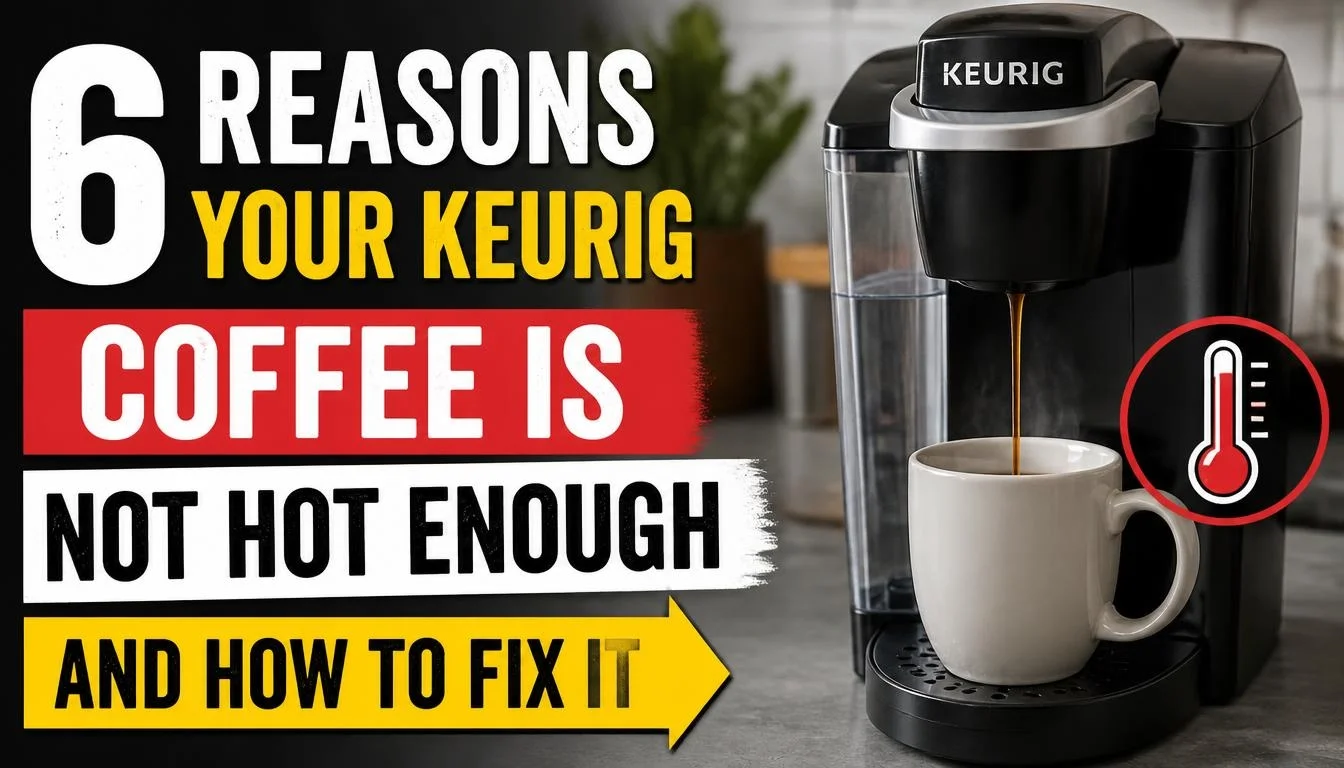
6 Reasons Your Keurig Coffee Is Not Hot Enough and How to Fix It
1. Your Coffee Mug Is Too Cold
One simple reason your Keurig coffee may feel lukewarm is the mug itself.
A cold ceramic mug can absorb some of the heat from freshly brewed coffee. This is more noticeable when you use a thick ceramic mug or one that has been sitting in a cold kitchen.
The coffee may leave the brewer at a normal temperature but feel cooler after sitting in the mug.
How to Fix It
Preheating your mug is an easy first step.
- Fill your mug with hot water.
- Let it sit for about 30 seconds.
- Empty the water carefully.
- Place the warm mug under your Keurig.
- Brew your coffee as usual.
Use a heat-safe mug that fits your brewer properly.
Try this with the same coffee pod and cup size you normally use. If the coffee stays hotter for longer, the mug was probably contributing to the problem.
If preheating makes little difference, move on to the next check.
2. Your Keurig Has Not Finished Heating
Your Keurig needs time to heat the water before brewing.
If you start brewing before the machine is ready, you may interrupt its normal preparation process.
This is especially worth checking after switching on a brewer that has been turned off for some time.
The exact heating process depends on your model.
For example, the Keurig K-Elite guide states that initial heating takes about three minutes. It may also take approximately one minute to reheat between brewing cycles.
These times apply to the K-Elite instructions, not every Keurig machine.
How to Fix It
Try these steps:
- Turn on your Keurig.
- Wait until the heating process finishes.
- Check that the Ready indicator appears, if your model has one.
- Make sure the water reservoir contains enough water.
- Start brewing only when the machine is ready.
If you want to make another cup immediately, give the brewer the required time to reheat.
For model-specific instructions, check the official Keurig K-Elite guide.
3. Your Keurig Temperature Setting Is Too Low
Some Keurig coffee makers allow you to adjust the brewing temperature.
If your model has this option, the selected temperature may be lower than you prefer.
However, not every Keurig has adjustable temperature settings. The controls depend on the model.
How to Adjust the Temperature on a Keurig K-Elite
The K-Elite offers a temperature range of 187°F to 192°F.
To check the setting:
- Turn on your K-Elite.
- Press the Settings button until the temperature setting appears.
- Use the arrow buttons to select your preferred temperature.
- Choose a higher available setting if you prefer hotter coffee.
- Exit the settings menu and try another brew.
The exact control steps are described in the Keurig K-Elite temperature adjustment instructions.
What About the K-Supreme Plus SMART?
The K-Supreme Plus SMART offers six temperature settings, ranging from Warm to Max Hot.
You can adjust the temperature through the brewer’s controls or the Keurig app.
Check the official K-Supreme Plus SMART Use and Care Guide for the correct settings.
If your machine does not offer temperature adjustment, do not try random button combinations. Use the normal hot-brew setting and follow the instructions for your exact model.
4. Mineral Buildup Is Affecting Your Keurig
Mineral deposits can develop inside your Keurig over time.
When water passes through the brewer repeatedly, minerals such as calcium can collect inside its water pathways.
This buildup is called limescale.
If you have hard water, mineral deposits may develop faster. Over time, scale can interfere with normal brewer performance and affect the heating element and other internal parts.
A Keurig that has not been descaled for a long time may need maintenance.
How to Fix It
Descale your Keurig using the procedure recommended for your model.
Follow these general steps:
- Turn off the brewer and prepare it according to the owner’s manual.
- Remove the K-Cup pod.
- Remove the water filter if the instructions require it.
- Add the recommended descaling solution.
- Run the complete descaling process.
- Empty and rinse the reservoir as instructed.
- Complete all required fresh-water rinse cycles.
Do not assume every Keurig uses the same button sequence.
Keurig generally recommends descaling its brewers every three to six months, although some model-specific instructions use a different maintenance interval.
For more details, read our guide on How Often Should I Descale My Coffee Maker?.
You can also follow the official Keurig descaling instructions.
Remember that descaling may help if mineral buildup is affecting performance. It will not repair a damaged heating component.
5. Your Coffee Is Cooling Down Too Quickly After Brewing
Sometimes the Keurig is working normally, but the coffee does not stay hot in your cup.
This is different from a machine that cannot heat water properly.
A cold mug, a large serving of cold milk, or a cold creamer can lower the temperature of freshly brewed coffee.
How to Fix It
Try a few simple changes:
- Preheat your mug before brewing.
- Avoid adding cold milk or cream before the coffee is ready.
- Add milk after brewing.
- Use a suitable mug with good heat retention.
- Drink the coffee soon after preparation.
Also, pay attention to when the coffee becomes cold.
If it feels hot immediately after brewing but cools quickly, the mug and serving conditions may be responsible.
If it is already lukewarm when it leaves the brewer, continue with the heating test below.
6. Your Keurig May Have an Internal Heating Problem
If you have checked the mug, heating time, temperature settings, and descaling schedule but your coffee is still lukewarm, an internal problem is possible.
The heating system may not be working correctly.
However, you should not assume that a faulty heater is the cause without checking the water first.
A simple water-only test can help you narrow down the problem.
How to Test Whether Your Keurig Is Heating Water Properly
This is one of the most useful checks when your Keurig coffee is not hot enough.
The idea is simple: test the machine without a K-Cup pod and see whether it produces hot water.
Step 1: Allow the Brewer to Finish Heating
Turn on your Keurig and wait until it indicates that it is ready.
Do not start the test while the heating light is still flashing or the display shows that the machine is preparing.
Step 2: Prepare a Warm Mug
Use the same heat-safe mug for each test.
Preheat it with hot water, then empty it carefully.
This helps reduce differences caused by cold cups.
Step 3: Run a Water-Only Brew
Remove the K-Cup pod.
If your model has a Hot Water function, use it according to the manual.
For example, the K-Elite has a dedicated Hot Water button. The K-Supreme Plus SMART also supports a hot-water cycle without a K-Cup pod.
Step 4: Check the Water Temperature
Place the mug under the outlet and collect the hot water.
You can use a suitable food thermometer to measure the temperature in the mug. Measure it soon after dispensing so it does not cool down unnecessarily.
Be careful when handling the hot water.
Never place a thermometer inside the machine or touch the internal heating components.
Step 5: Compare the Results
Now consider these two situations.
Situation A: Water Is Hot, but Coffee Feels Lukewarm
Your heating system may be working normally.
Check the mug, cup size, temperature setting, and brewing mode. Also make sure you are not using an iced coffee function when you want a regular hot drink.
Situation B: Water and Coffee Are Both Lukewarm
This needs more attention.
Make sure the brewer has completed its heating cycle and that you have selected the hottest available setting, if your model supports it.
If the problem continues after the recommended maintenance, contact Keurig support.
A water-only test is a useful comparison, but the result alone cannot confirm that an internal component has failed.
Strong Brew vs. Temperature Setting: Are They the Same?

No. These two settings serve different purposes.
The Strong Brew setting increases the strength and boldness of the coffee’s flavour. It does not mean that the brewer is increasing its water temperature.
The Temperature setting controls the brewing temperature on models that offer this feature.
For example, the K-Elite has separate Strong Brew and Temperature controls.
If your coffee is weak rather than cold, the Strong Brew setting may help. But if the coffee is not hot enough, check the temperature setting and heating performance instead.
You can read our guide on Coffee Maker Makes Weak or Watery Coffee if your main problem is weak flavour rather than low temperature.
How to Make Your Keurig Coffee Hotter
If your Keurig is working properly, these simple habits may help you enjoy a hotter cup.
- Preheat your mug with hot water.
- Allow the brewer to finish heating before starting.
- Choose a higher temperature setting if your model supports it.
- Use the normal hot-brew mode instead of an iced beverage setting.
- Descale your machine when required.
- Avoid adding cold milk or cream before brewing.
- Serve your coffee soon after it is prepared.
Make one change at a time. This helps you understand which step actually improves the result.
When Should You Contact Keurig Customer Support?
Some temperature problems cannot be solved through regular cleaning or simple settings changes.
Consider contacting Keurig support when:
- Water from the water-only cycle remains lukewarm.
- The temperature setting does not respond.
- The brewer repeatedly fails to heat properly.
- Descaling does not improve the problem.
- The machine displays unusual error messages.
- You notice burning smells, damaged electrical parts, or signs of overheating.
Stop using the brewer if you notice an electrical smell, sparking, or leaking water near electrical components.
Do not open the machine or attempt to repair its internal heating system yourself.
Before contacting support, keep your model number, purchase information, and warranty details ready.
You can visit Keurig Customer Support for model-specific troubleshooting and service information.
Frequently Asked Questions
Why is my Keurig coffee lukewarm but the water is hot?
Your mug may be absorbing heat, or the coffee may be cooling because of the cup size or cold additions. Try preheating the mug and comparing the result using the same cup and brew size.
Can I adjust the temperature on every Keurig coffee maker?
No. Temperature adjustment is available on certain models, but not all Keurig brewers have this feature. Check your specific model’s user manual before looking for temperature controls.
Why is my first cup of Keurig coffee not hot enough?
Your brewer may need more time to heat the water, particularly after being turned off. Allow the machine to complete its heating process and wait for the Ready indicator before brewing.
Does Strong Brew make Keurig coffee hotter?
No. Strong Brew is designed to make the coffee taste bolder and more intense. It is different from a temperature adjustment.
Does descaling make Keurig coffee hotter?
Descaling removes mineral deposits that can interfere with brewer performance. It helps maintain the heating element and internal water-contact parts. However, it will not fix every heating problem.
Why does my Keurig coffee get cold so quickly?
A cold mug, cold milk, or the size of your serving can affect how quickly coffee loses heat. Preheat your mug and add cold ingredients after brewing.
What is the ideal Keurig coffee temperature?
It depends on the model and serving conditions. For example, the K-Elite allows a brewing temperature between 187°F and 192°F. The final temperature in your cup may be lower because of the mug material and beverage size.
Should I replace my Keurig if it keeps brewing lukewarm coffee?
Not immediately. First, check the heating cycle, temperature settings, and maintenance requirements. Run a water-only test if your model supports it. Consider repair or replacement only after the basic checks and manufacturer support have ruled out simpler solutions.
Final Thoughts
A Keurig coffee maker that produces lukewarm coffee does not always need to be replaced.
Start with the simple things. Check your mug, allow the brewer to finish heating, and review the available temperature settings. If your machine has not been descaled for several months, check whether maintenance is due.
The water-only test is especially useful because it helps you tell whether the problem is related to the brewer’s heating performance or the way the coffee is being served.
If the water itself is not hot enough after the recommended checks, contact Keurig support rather than opening the machine.
With a few careful checks, you may be able to find the cause without spending money on a new coffee maker.

“I believe great cooking starts with the right tools, trusted advice, and a little confidence in the kitchen.”
Hi, I’m Emma Carter. My love for cooking began in my grandmother’s kitchen, where I learned that every great meal starts with simple ingredients and the right cookware. Over the years, I’ve spent countless hours researching, testing, and comparing kitchen appliances, cookware, coffee makers, air fryers, and other everyday kitchen essentials.
Here at KiCook, my goal is to make your buying decisions easier with honest product reviews, practical buying guides, and easy-to-follow cooking tips. Whether you’re upgrading your kitchen or searching for the best appliance for your home, I focus on providing clear, reliable, and research-backed information you can trust.
When I’m not testing new kitchen gadgets or writing in-depth guides, you’ll usually find me trying new recipes, visiting local farmers’ markets, or enjoying a quiet cup of coffee while planning my next kitchen project.