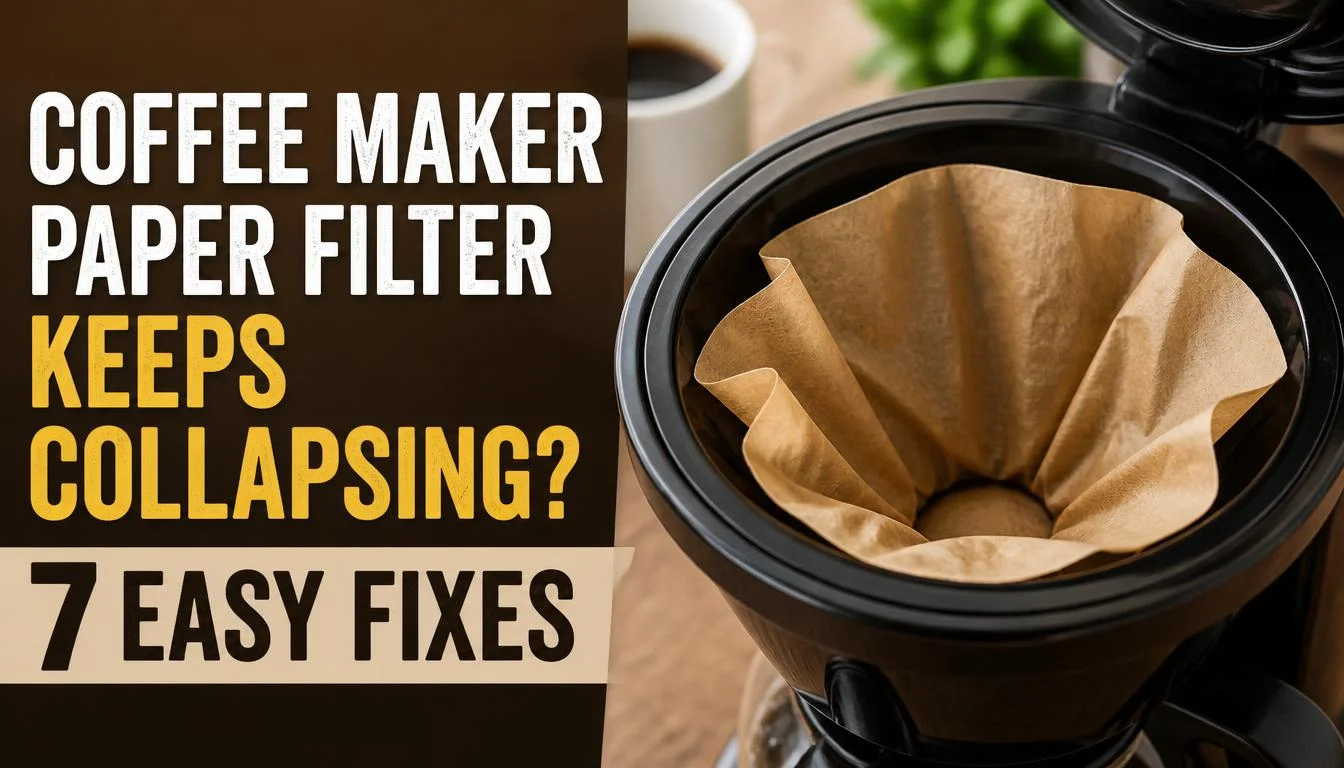
Does your coffee maker paper filter keep collapsing into the basket while brewing? You may notice the paper folding inward, sinking into the wet coffee grounds, or allowing grounds to escape into your coffee. Sometimes, the filter basket may even overflow and spill coffee onto your countertop.
The good news is that you may not need a new coffee maker. The problem can come from the wrong filter size, an unsuitable filter shape, incorrectly folded seams, too much coffee, or restricted water flow. A few simple checks can often help you find the cause.
In this guide, you will learn why your paper coffee filter keeps collapsing, how to stop it, and how to prevent the problem from returning.
Quick Answer: Why Does My Coffee Maker Paper Filter Keep Collapsing?
A paper coffee filter usually collapses because it does not fit the brew basket properly, its paper is unsuitable for the machine, or water cannot drain through the coffee grounds fast enough. Start by checking the filter size and shape, opening and positioning the paper correctly, and using the recommended amount and grind of coffee.
If the filter still collapses, check the basket for blockages and make sure you are not using two filters together. Always follow your coffee maker manufacturer’s instructions.
Why Does My Coffee Maker Paper Filter Keep Collapsing?
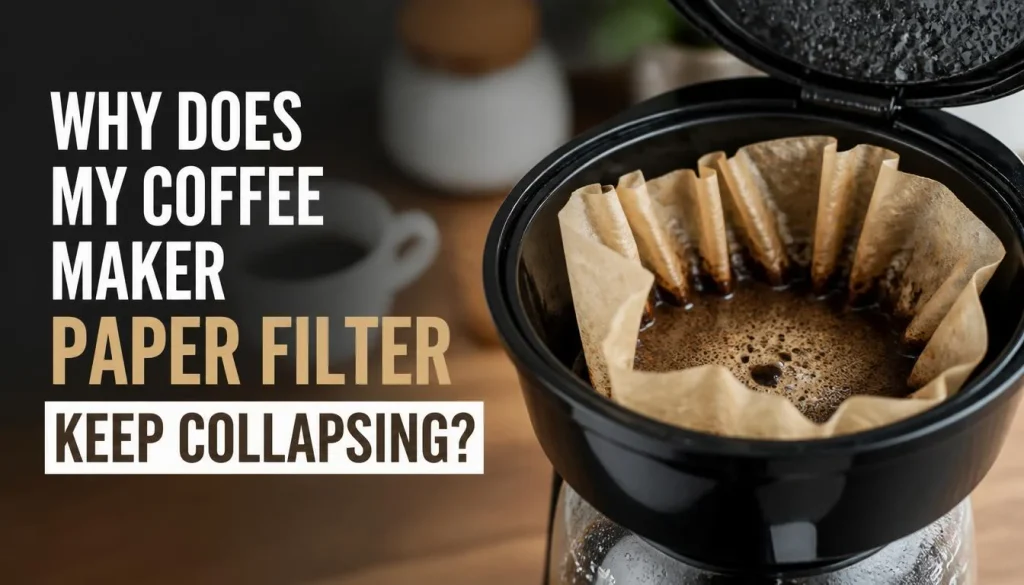
Several problems can cause a paper filter to fold inward or lose its shape during brewing. Finding the right cause will help you choose a solution instead of wasting money on different filters.
1. You Are Using the Wrong Filter Size or Shape
One of the first things to check is whether your paper filter matches your coffee maker.
Drip coffee makers use different basket designs. Some need cone-shaped filters, while others use flat-bottom filters. The filter height and width also matter.
If a filter is too short, its walls may not rise high enough above the basket to hold the wet coffee grounds. If it is too tall or has an unsuitable shape, its sides may bunch up or fold during brewing.
How to fix it: Check your coffee maker’s manual for the recommended filter size and shape. Do not choose a filter based only on the number of cups your machine makes.
For more details, Ratio’s guide to choosing the right coffee filters explains how filter height and construction can affect brewing and overflow.
2. The Paper Filter Is Too Thin or Unsuitable for Your Basket
Not all paper coffee filters behave the same way.
A filter made from paper that cannot support the wet coffee grounds may fold over as the basket fills. On the other hand, some thicker or more tightly woven filters can slow water flow, allowing water to collect around the grounds.
This means thicker paper is not always better, and thinner paper is not always worse. The important thing is compatibility with your coffee maker.
How to fix it: Try a compatible filter from a reliable brand. If one type repeatedly folds during brewing, check the manufacturer’s recommendations before buying another pack.
Also, avoid assuming that every filter sold as a standard drip coffee filter will fit every machine.
3. The Filter Is Not Open or Positioned Correctly
A paper filter can fold inward if you place it unevenly inside the basket.
For example, one side may remain folded against the middle while the opposite side sits correctly along the basket wall. When hot water enters, the poorly positioned side may move further inward.
This can also leave gaps between the filter and basket, allowing coffee grounds to escape.
How to fix it:
- Open the paper filter fully before placing it in the basket.
- Shape it to match the basket.
- Check that the sides sit evenly against the basket walls.
- Fold the sealed edges if the filter instructions require it.
- Make sure no part of the filter is trapped underneath the basket rim.
Take a moment to check the filter before adding coffee. This small step can prevent many avoidable brewing problems.
4. The Filter Seams Are Not Folded Correctly
Some cone-shaped paper filters have sealed seams along the bottom and side. Depending on the design, these seams may need to be folded before the filter is placed inside the basket.
If the seams remain stiff or push against the basket at an awkward angle, the filter may not sit securely.
However, not every paper filter requires the same folding method.
How to fix it: Read the instructions on the filter packaging. Fold the seams only as directed, then place the filter inside the basket and check that it sits evenly.
Avoid forcing the filter into a shape that does not match your machine.
5. You Are Adding Too Much Coffee
Too many coffee grounds can restrict water flow through the filter.
As the grounds absorb water, they expand and occupy space in the basket. If there is too much coffee, water may drain more slowly than expected. The wet grounds can become heavy, and the filter may fold or overflow.
This problem can be more noticeable when brewing a large pot or using finely ground coffee.
How to fix it: Measure your coffee instead of filling the basket by eye. Follow the coffee maker’s recommended coffee-to-water ratio and maximum capacity.
If the problem happens only when making a full pot, try a smaller batch within the machine’s recommended range.
6. Your Coffee Grounds Are Too Fine
The size of your coffee grounds affects how easily water can pass through them.
Very fine grounds create more resistance to water flow. If the water cannot drain quickly enough, it may build up in the filter basket.
You may notice slow brewing, wet grounds sitting in pooled water, coffee spilling over the filter, or sediment in the finished drink.
How to fix it: Use coffee ground for your type of brewer. A standard drip coffee maker generally works well with medium-ground coffee, although some machines recommend a different setting.
Avoid using espresso-fine coffee in a drip machine unless the manufacturer specifically allows it.
If the paper filter collapses and the basket also drains slowly, correcting the grind size may help solve both symptoms.
7. The Brew Basket or Drainage Outlet Is Dirty
Coffee residue, old grounds, and coffee oils can collect in the basket and drainage outlet. Over time, this buildup may interfere with normal water flow.
When drainage slows, water can collect around the filter and wet grounds. This can make an already poorly fitted filter more likely to collapse.
A blocked drip-stop mechanism can also prevent coffee from reaching the carafe as it should.
How to fix it:
- Turn off the coffee maker and allow it to cool.
- Remove the brew basket if your model allows it.
- Empty the used grounds and wash the basket.
- Check the accessible drainage outlet and drip-stop for residue.
- Reinstall the basket correctly before brewing again.
For a regular maintenance routine, read our guide on how often you should clean your coffee maker.
How to Stop Your Coffee Maker Paper Filter From Collapsing
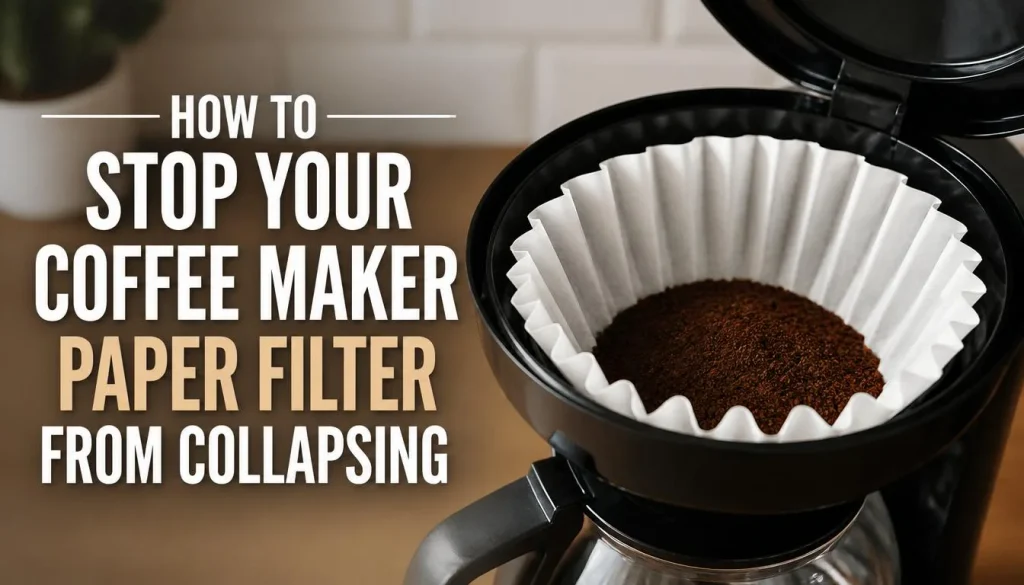
Now that you know the common causes, follow these steps in order. Start with the filter itself before changing your coffee or performing more involved maintenance.
Step 1: Stop Brewing and Let the Machine Cool
If the filter has already collapsed, stop the brewing cycle according to your machine’s instructions.
Hot water can remain in the filter basket, so do not pull it out immediately. Allow the water to drain and the basket to cool before handling it.
If coffee is overflowing, avoid reaching into the basket while hot water is still flowing.
Once it is safe, remove the used filter and grounds. Check whether the filter is torn, badly folded, or simply too small for the basket.
Step 2: Check the Correct Filter Size
Find the filter size and shape recommended in your coffee maker’s manual.
Check these details:
- Is the basket designed for a cone-shaped or flat-bottom filter?
- Are the filter walls tall enough to contain the grounds?
- Does the filter sit securely without bunching up?
- Is the filter intended for your particular type of brewer?
If the size is wrong, replace it with a compatible filter rather than trying to force it into place.
Important: A filter that fits one brand of coffee maker may not fit another, even when both machines brew a similar number of cups.
Step 3: Open and Position the Filter Properly
Before adding coffee, open the filter completely.
Place it in the basket and gently shape it to the basket walls. If your filter has seams that need folding, prepare them according to the packaging instructions.
Look around the entire basket to make sure the paper is not folded inward or trapped under the rim.
Do not press the paper down so firmly that it tears or loses its intended shape.
Step 4: Rinse the Basket if Your Manufacturer Recommends It
Some coffee makers benefit from a lightly rinsed basket before you insert the paper filter. The damp basket sides may help the filter sit against them.
For example, some manufacturer instructions recommend rinsing the brew basket before placing the filter inside.
If your coffee maker allows this method:
- Remove the basket if it is designed to be removable.
- Rinse it with clean water.
- Let excess water drain.
- Insert the paper filter and position it correctly.
- Add the recommended quantity of coffee.
Follow your machine’s instructions. You do not need to soak the filter, and you should not add extra water if your brewer’s design or instructions make this unsuitable.
Step 5: Use the Correct Amount of Coffee
Even a correctly fitted filter can struggle if the basket is overloaded.
Measure the coffee according to the recommended ratio for your brewer. If the filter becomes crowded during a full-pot brew, try a smaller batch where the machine permits it.
Do not fill the filter to the top simply because there is room for more dry grounds. The grounds absorb water during brewing and need enough space for proper flow.
Step 6: Adjust the Coffee Grind
If the coffee is too fine, water may take longer to pass through the grounds.
Try the grind recommended for your drip coffee maker. Change only the grind setting or coffee amount at first so you can tell whether the adjustment helps.
If you use pre-ground coffee, choose a product labelled for drip brewing rather than espresso.
If brewing remains unusually slow even after the filter and grind have been corrected, our guide to fixing a coffee maker that is still slow after descaling covers other possible causes of restricted water flow.
Step 7: Use Only One Filter Unless Your Manual Says Otherwise
Using two paper filters together can restrict water flow and increase the chance of overflow.
The same problem can occur if you place a paper filter inside a reusable mesh filter when the coffee maker is designed for only one filter.
To avoid this:
- Use one compatible paper filter.
- Remove any reusable filter before adding paper if the manual requires it.
- Do not combine filter types unless the manufacturer specifically approves that setup.
- Replace the filter if it tears or loses its shape.
Using extra paper does not automatically improve filtration. In some machines, it can create a new drainage problem.
Step 8: Check the Basket, Drip-Stop, and Carafe
A collapsing paper filter is not always the only issue.
Some coffee makers use a drip-stop mechanism that controls the flow of coffee into the carafe. If the mechanism is blocked or the carafe is not positioned correctly, coffee may collect in the basket instead of draining as expected.
After turning off the machine and letting it cool, check that:
- The brew basket is clean and fully inserted.
- The drainage opening is free of accessible residue.
- The drip-stop is clean and operates as described in the manual.
- The carafe is correctly positioned beneath the basket.
If the basket continues to overflow after these checks, consult your manufacturer’s troubleshooting guide. KitchenAid’s brew basket overflow guide also explains why filter choice, grind size, and the drip-stop can affect brewing.
Coffee Filter Collapsing: How to Identify the Exact Problem
Use the symptoms below to narrow down the cause. The suggestions are starting points rather than guaranteed diagnoses.
| What You Notice | Possible Cause | What to Try |
|---|---|---|
| Filter falls into the basket | Wrong size or unsuitable shape | Check the recommended filter |
| One side folds inward | Poor positioning or an awkward seam | Reopen and position it evenly |
| Filter loses its shape when wet | Incompatible paper construction | Try a compatible filter |
| Water collects above the grounds | Fine coffee, excess grounds, or restricted drainage | Adjust the grind or coffee amount |
| Coffee grounds appear in the carafe | Torn filter or gaps around the filter | Replace and position the filter properly |
| Basket overflows during brewing | Slow drainage, blocked outlet, or incorrect setup | Check the basket, drip-stop, and carafe |
| Filter works with small batches but collapses with a full pot | Excessive grounds or inadequate drainage for the batch | Try a smaller recommended batch |
| A new filter also collapses | Incorrect filter type or a basket problem | Check compatibility and inspect the basket |
Notice the difference between a filter that physically folds inward and a basket that fills with water. They can happen together, but they do not always have the same cause.
Should You Switch From a Paper Coffee Filter to a Permanent Filter?
A reusable filter may be a useful alternative for some coffee makers, but it is not a guaranteed solution.
Before switching, check whether your machine supports a permanent filter and which type it needs.
Advantages of Paper Coffee Filters
- They are easy to replace after each brew.
- They help keep many fine coffee particles out of the finished drink.
- You do not need to wash the filter itself after every use.
- Compatible sizes are available for many drip coffee makers.
Disadvantages of Paper Coffee Filters
- You need to keep buying replacements.
- The wrong size can fold or allow grounds to escape.
- Some paper filters may not provide the right support or drainage for a particular basket.
- Used filters create waste.
Advantages of Permanent Filters
- They can reduce the need to buy disposable filters.
- They can be reused when cleaned correctly.
- Many designs allow more coffee oils and fine particles to enter the cup.
Disadvantages of Permanent Filters
- They need regular cleaning.
- Coffee residue and oils can collect in the mesh.
- The taste and texture may differ from coffee brewed with paper.
- An incompatible filter can interfere with water flow.
My practical recommendation: Fix the filter fit and drainage problem before replacing your brewing setup. If you prefer a reusable filter, choose one approved for your coffee maker and follow the manufacturer’s cleaning instructions.
How to Prevent Your Paper Coffee Filter From Collapsing Again
A few simple habits can help reduce the chance of this problem returning.
Choose compatible filters. Check the basket shape, filter size, and manufacturer’s recommendations before buying a new pack.
Inspect the paper before brewing. Do not use a torn, damaged, or badly creased filter.
Position the filter carefully. Open it fully and make sure its walls sit evenly against the basket.
Measure your coffee. Avoid adding more grounds than the basket is designed to handle.
Use the right grind. Very fine grounds can slow drainage in a drip coffee maker.
Keep the basket clean. Remove old grounds and coffee residue after brewing. Clean the outlet and drip-stop as recommended.
Avoid double filtering. Use one filter unless your coffee maker instructions specifically say otherwise.
Watch the first part of the brew. If water begins collecting in the basket or the paper starts folding inward, stop the cycle safely instead of letting the basket overflow.
Regular care matters too. Clean the removable parts at the recommended intervals and descale the coffee maker according to its manual. Cleaning can help with drainage problems, but it cannot correct the wrong filter size or damaged paper.
When Should You Replace the Filter Basket or Contact Support?
You may need more than a new paper filter if the problem continues.
Consider contacting the manufacturer if:
- Several compatible filters collapse in the same way.
- The brew basket is cracked, bent, or damaged.
- The drip-stop remains blocked after the approved cleaning procedure.
- Water repeatedly overflows even when you use the correct filter and coffee amount.
- The coffee maker leaks from underneath or near electrical components.
Do not open the machine housing or attempt repairs on internal electrical parts yourself. If water reaches electrical connections, stop using the machine and seek appropriate help.
If the basket itself is damaged, use an approved replacement part rather than trying to reshape it by force.
Frequently Asked Questions
Why does my paper coffee filter keep folding inward?
The filter may be the wrong size, have unsuitable paper construction, or be positioned incorrectly. Too much coffee and restricted drainage can also contribute. Check the filter fit first, then review the coffee amount and grind.
How do I keep a paper coffee filter from collapsing?
Use the filter size and shape recommended for your machine. Open it fully, fold its seams if required, and position it evenly in the basket. Also, use the correct amount of coffee and keep the drainage outlet clean.
Should I wet a paper coffee filter before brewing?
Not always. Some machines benefit from rinsing the basket so the paper sits against its sides. Follow your coffee maker’s instructions rather than assuming that every paper filter needs pre-wetting.
Can the wrong filter size cause coffee maker overflow?
Yes. A filter that is too short, too small, or otherwise incompatible may fail to contain the wet grounds properly. A poor fit can also allow grounds to escape around the edges. Use the size and shape recommended by the manufacturer.
Why are coffee grounds getting into my cup?
The paper filter may be torn, incorrectly positioned, or too small for the basket. Grounds can also escape through gaps between the filter and basket. Replace a damaged filter and check that it sits properly before brewing.
Can too-fine coffee grounds make a paper filter collapse?
They can contribute to the problem by slowing water flow. If water cannot pass through the coffee and filter quickly enough, it may collect in the basket and cause overflow. Try the grind recommended for your drip coffee maker.
Should I use a paper filter and a permanent filter together?
Only if the manufacturer specifically permits it. Many coffee makers are designed to use either one paper filter or one compatible reusable filter, not both together. Using two filters can restrict drainage.
Why does my coffee filter collapse only when making a full pot?
A full pot may involve more coffee grounds, so less space remains for water to pass through the basket. If the machine allows different batch sizes, try a smaller batch and use the recommended coffee ratio. Also check the filter’s height and compatibility.
Final Thoughts
If your coffee maker paper filter keeps collapsing, do not assume you need a new machine. Start by checking the filter size, shape, and placement. Make sure the seams are folded correctly when required, and use the recommended amount and grind of coffee.
Next, clean the brew basket and check the drainage outlet and drip-stop. Use only one filter unless your manufacturer says otherwise.
If the filter still collapses after these checks, try a compatible replacement filter or inspect the basket for damage. When the problem continues or the machine leaks, consult the manufacturer’s support team.
With the correct filter and a few simple changes, you can often prevent collapsing paper filters, reduce coffee grounds in your cup, and enjoy a cleaner brewing process.

“I believe great cooking starts with the right tools, trusted advice, and a little confidence in the kitchen.”
Hi, I’m Emma Carter. My love for cooking began in my grandmother’s kitchen, where I learned that every great meal starts with simple ingredients and the right cookware. Over the years, I’ve spent countless hours researching, testing, and comparing kitchen appliances, cookware, coffee makers, air fryers, and other everyday kitchen essentials.
Here at KiCook, my goal is to make your buying decisions easier with honest product reviews, practical buying guides, and easy-to-follow cooking tips. Whether you’re upgrading your kitchen or searching for the best appliance for your home, I focus on providing clear, reliable, and research-backed information you can trust.
When I’m not testing new kitchen gadgets or writing in-depth guides, you’ll usually find me trying new recipes, visiting local farmers’ markets, or enjoying a quiet cup of coffee while planning my next kitchen project.