

You have finished descaling your coffee maker, rinsed the water tank, and expected the warning light to disappear. But the descale light is still on. It is frustrating, especially when you just want to make your morning coffee.
The good news is that your coffee maker may not be broken. In many cases, the light stays on because the descaling cycle is incomplete, the fresh-water rinse has not finished, or the machine needs a specific final step.
In this guide, I will explain how to identify the problem, which fixes to try first, and what to do if your coffee maker still shows the descale warning after cleaning.
Quick Answer: Why Won’t My Coffee Maker Descale Light Turn Off?
If your coffee maker descale light won’t turn off, check whether the complete descaling and fresh-water rinse cycles have finished. Make sure the water reservoir is correctly positioned and follow the reset or cycle-completion instructions for your exact model. If the light remains on after the full procedure, consult the manufacturer’s troubleshooting guide before repeating the descaling process.
Why Is My Coffee Maker Descale Light Still On?
The descale light usually reminds you that the machine needs descaling or has not registered the completion of its cleaning procedure. However, the exact meaning depends on your coffee maker.
Here are the most common reasons the light stays on.
| Possible cause | What it means | What to check |
|---|---|---|
| Incomplete descaling cycle | One or more cleaning steps were missed | The full descaling procedure |
| Incomplete water rinse | The machine has not finished flushing out the solution | The fresh-water rinse instructions |
| Incorrect descaling procedure | The machine did not recognize the selected cleaning sequence | Your model’s user manual |
| Poor water flow | Mineral buildup may be restricting the water pathway | The reservoir and water outlets |
| Incorrectly positioned water tank | The machine may not receive water properly | Tank position and minimum water level |
| Reset or completion step missing | The machine may require a specific final action | The manufacturer’s instructions |
| Persistent internal fault | A sensor or another component may not be working correctly | Manufacturer support |
Before trying several fixes, check the model number on your machine. This is important because a Keurig, Breville, Cuisinart, and Nespresso machine may use different descaling procedures.
How to Fix a Coffee Maker Descale Light That Won’t Turn Off
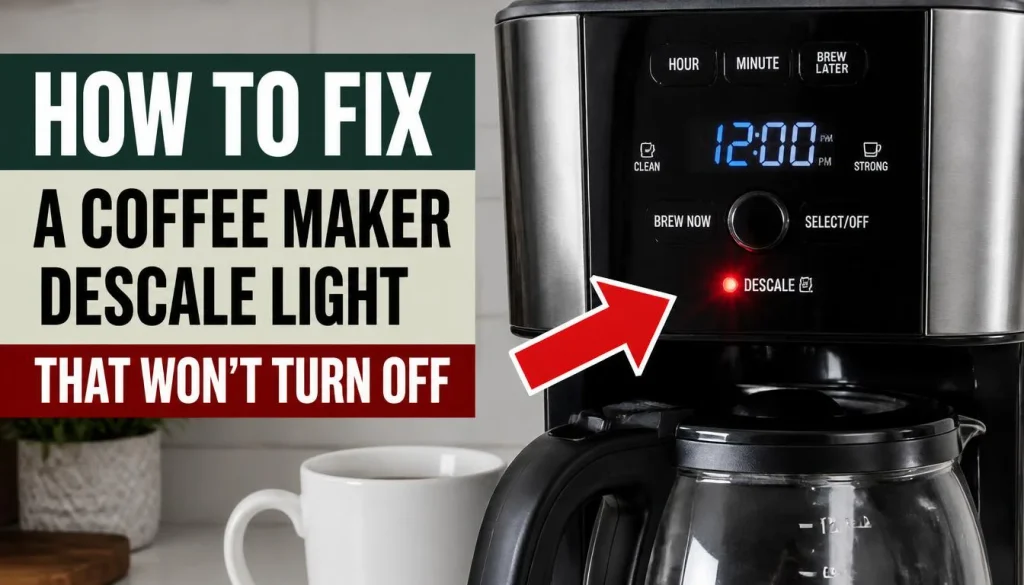
Start with the simplest checks. You usually do not need to buy a new coffee maker just because the descale light stays on.
1. Complete the Full Descaling Cycle
The first thing to check is whether the descaling cycle actually finished.
Some coffee makers use several stages. The machine may need to circulate the descaling solution, empty the reservoir, refill it, and complete a fresh-water rinse before the warning disappears.
If you stopped the machine halfway through, it may still be waiting for the remaining steps.
Here is what to do:
- Check your coffee maker’s user manual for the complete descaling procedure.
- Confirm that every required stage has finished.
- Look at the display or indicator lights to see whether the machine is still in descaling mode.
- Complete any unfinished step according to the instructions.
Do not assume that running descaling solution through the machine is enough. Some models require a separate rinse sequence before they clear the warning.
2. Run the Required Fresh-Water Rinse Cycle
This is one of the most important checks when the descale light stays on after descaling.
After the cleaning solution passes through the machine, many coffee makers require a fresh-water rinse. This removes the remaining solution from the internal water pathway.
If you filled the reservoir with clean water but did not finish the rinse cycle, the light may remain on.
Try these steps:
- Empty the reservoir if the manufacturer’s procedure tells you to do so.
- Rinse the reservoir and refill it with fresh water.
- Start the required rinse cycle.
- Continue until the machine indicates that the process is complete.
For example, the official Keurig K-Express descaling instructions explain that the fresh-water rinse must continue until the descale notification turns off.
The exact procedure varies by model, so use the instructions written for your machine rather than copying another model’s button sequence.
3. Check the Water Reservoir and Water Flow
Your coffee maker needs a steady water supply to complete its cleaning cycle.
If the reservoir is empty, incorrectly positioned, or unable to supply enough water, the machine may stop before the cycle finishes.
Follow these checks:
- Make sure the water reservoir is filled to the required level.
- Remove and reinstall the reservoir if your model allows it.
- Check that the reservoir outlet and accessible water passages are clear.
- Look for signs of restricted water flow, such as a very slow stream or no water coming out.
If your coffee maker releases very little water during descaling, do not keep running the pump when the manufacturer warns against it.
Mineral buildup can restrict internal water flow. The official Breville descaling troubleshooting guide explains how restricted flow and incomplete cycles can prevent a descale indicator from clearing.
If the machine still cannot move water through the system, follow its recommended troubleshooting procedure or contact customer support.
4. Check Whether the Machine Is Still in Descale Mode
Some coffee makers have a dedicated descaling mode that remains active until the correct sequence is complete.
You may think cleaning has finished because the machine has stopped pumping water. However, it could still be waiting for the next stage.
Check the indicator carefully.
Is the descale light flashing, glowing steadily, or appearing alongside another warning? Does the display show a cleaning message? These details can help you identify the current stage.
Do not press random buttons to force the machine back to normal brewing mode. On some models, an incorrect action can interrupt the procedure.
Instead, check the manual for instructions on entering and exiting descaling mode. Complete the required stages in the correct order.
5. Repeat Descaling Only If the Manufacturer Recommends It
Sometimes, significant mineral buildup makes it difficult for the machine to complete the descaling process.
You might notice that the water flow is unusually slow, the machine releases very little water, or the cycle stops before completion.
In such cases, a repeat procedure may be appropriate if the manufacturer recommends it.
Before repeating the cycle:
- Confirm that you used a compatible descaling solution.
- Check that the solution was prepared in the correct amount.
- Make sure the reservoir did not run empty during the process.
- Follow any model-specific instructions for restricted water flow.
Do not repeatedly run descaling solution through the machine simply because the light remains on. If you have completed the proper cycle and rinse, investigate the cause instead of assuming that more cleaning is necessary.
6. Follow the Correct Reset Procedure for Your Model
Some coffee makers clear the descale light automatically when the cleaning process finishes. Others require a particular final action.
This is why unplugging the machine does not always solve the problem.
If your coffee maker’s instructions recommend restarting it after descaling, follow these steps:
- Confirm that the complete descaling and rinse procedures have finished.
- Turn off the machine.
- Unplug it only if the manufacturer’s instructions recommend this.
- Wait for the specified period, if any.
- Reconnect the power and check the indicator.
Do not assume that every machine has a reset button or uses the same button combination.
For example, Keurig’s official descaling instructions specify the required cycle and rinse steps for the K-Express. Other Keurig models may use different controls.
For Breville machines, the official troubleshooting guide recommends checking the model-specific procedure and completing the required rinse cycle before escalating a persistent indicator problem.
7. Contact Customer Support if the Light Still Won’t Turn Off
If the light remains on after you have completed the correct procedure, there may be a problem that requires further inspection.
Possible causes include persistent mineral buildup, restricted internal water flow, or a faulty component.
Before contacting support, prepare the following information:
- Your coffee maker’s brand and model number.
- Whether the descale light is solid or flashing.
- Whether water flows normally during brewing.
- Which descaling and rinse steps you completed.
- Whether any error message appears on the display.
This information can help the support team narrow down the problem.
If the machine has no water flow, leaks, smells unusual, or shows signs of an electrical fault, stop using it until the issue has been assessed. Do not open the machine’s internal components unless the manufacturer specifically authorizes that repair.
How to Turn Off the Descale Light on Different Coffee Maker Brands

The general troubleshooting steps above apply to many coffee makers, but the final solution depends on the brand and model.
Keurig Descale Light Won’t Turn Off
A Keurig descale light may remain on because the full descaling procedure has not been completed.
For supported models, the process includes running the descaling solution through the brewer and completing a fresh-water rinse. The brewer may need repeated rinse brews until the notification disappears.
If the light remains on:
- Check the instructions for your exact Keurig model.
- Make sure the descaling solution stage is complete.
- Refill the reservoir with fresh water.
- Complete the required rinse brews.
- Check whether the descale notification turns off.
If the brewer releases very little water, follow the manual’s restricted-flow instructions before continuing.
For more detailed cleaning guidance, see this step-by-step guide to cleaning a Keurig coffee maker.
Breville Descale Light Won’t Turn Off
Breville coffee machines may require a specific descaling sequence, and some espresso models have several stages involving different water outlets.
If your Breville descale light remains on, confirm that you completed every required stage in the correct order.
Also check that the water tank is installed correctly and that the machine has enough water to finish the cycle.
Breville advises using a compatible descaling solution for the covered espresso models and warns against using vinegar on those machines. You should follow the instructions for your exact model.
Read the official Breville guide for an espresso machine that will not complete descaling if the light remains on or the water stops flowing.
Ninja Coffee Maker CLEAN Light Won’t Turn Off
Some Ninja coffee makers use a CLEAN indicator rather than a descale indicator. These lights should not automatically be treated as identical.
If your Ninja CLEAN light stays on, check the machine’s cleaning instructions to see whether it uses a dedicated cleaning cycle.
Confirm that the cycle has finished, the reservoir contains the required amount of water, and any prescribed final steps have been completed.
Do not use the reset procedure from another Ninja model. Refer to the official Ninja Kitchen support website and search for your exact coffee maker model.
Nespresso Descaling Light Keeps Blinking
Nespresso machines use indicator lights differently depending on the model.
A blinking orange light, a steady light, and a light that continues flashing during descaling may communicate different things.
If your Nespresso descaling light keeps blinking:
- Identify your machine’s exact model.
- Check the meaning of the indicator in its user manual.
- Confirm that the full descaling sequence is complete.
- Follow the stated instructions for leaving descaling mode.
Do not assume that unplugging the machine will clear the warning. Some models require a specific exit sequence after descaling.
You can find model-specific guidance through the official Nespresso machine assistance page.
Cuisinart Coffee Maker CLEAN Light Stays On
On some Cuisinart drip coffee makers, the CLEAN light indicates that the machine needs its cleaning procedure.
The correct approach depends on the model. Some machines have a dedicated CLEAN button and an indicator that changes during the cycle.
Check whether the complete cleaning cycle has finished. If the indicator remains on, consult the manual to see whether the manufacturer recommends repeating the procedure.
Cuisinart provides cleaning guidance through its official coffee maker cleaning guide and coffee maker manuals.
Follow your model’s instructions about the cleaning solution and any extra fresh-water cycle.
What If the Descale Light Stays On After the Full Rinse Cycle?
If the light remains on after you have completed the entire descaling and rinse procedure, work through these checks in order.
First, confirm that the machine recognized the cycle as complete. A stopped pump does not always mean the entire procedure is finished.
Second, inspect the water supply. Make sure the reservoir is positioned correctly and that the machine can draw water normally.
Third, check the final step in the manual. Your model may require a particular action to exit descaling mode.
Fourth, restart the machine only if instructed. A restart may help some models, but it is not a universal reset method.
If none of these steps works, contact the manufacturer. Repeating the same procedure without identifying the problem is unlikely to help and may waste descaling solution.
Can You Use a Coffee Maker While the Descale Light Is On?
The answer depends on the machine.
Some coffee makers may continue brewing while displaying a maintenance warning. Others may limit brewing or prevent normal operation until descaling is complete.
Even if your machine still makes coffee, do not ignore the warning indefinitely. Mineral buildup can affect water flow and heating performance.
If the coffee maker operates normally and its manual permits use, follow the manufacturer’s guidance. However, stop using the machine if it leaks, produces no water, shows an electrical warning, or behaves unusually.
Once the descaling procedure is complete, check whether the warning has cleared before returning to your normal routine.
How to Prevent the Descale Light From Coming Back
Regular care can reduce mineral buildup and make future cleaning easier.
Use a Compatible Descaling Solution
Choose a descaling solution approved for your coffee maker. Do not assume vinegar is suitable for every machine.
Some manufacturers recommend specific products and warn against household alternatives. Always check the manual before choosing a cleaning solution.
Descale at the Recommended Interval
The right descaling schedule depends on water hardness, how often you brew coffee, and the manufacturer’s recommendations.
If you use hard water, mineral deposits may build up faster. Follow your machine’s maintenance schedule rather than using the same interval for every coffee maker.
Finish Every Cleaning and Rinse Step
Do not stop a descaling cycle just because the machine pauses or the water tank becomes empty.
Follow each stage and refill the reservoir when the instructions require it. This helps the machine complete the procedure and removes the remaining cleaning solution.
Keep Removable Parts Clean
Regularly clean the reservoir, brew basket, carafe, and other removable parts according to the manual.
A dirty coffee maker can also affect taste and brewing performance. If your coffee tastes thin or watery, read our guide on why a coffee maker makes weak or watery coffee.
If coffee starts tasting unusually bitter after cleaning, our guide to common causes of bitter coffee from a coffee maker may help you identify the cause.
Frequently Asked Questions About Coffee Maker Descale Light Wont Turn Off
Why Is My Coffee Maker Descale Light Still On After Descaling?
The most common explanation is an incomplete descaling or fresh-water rinse cycle. The machine may also require a specific final step. Check your exact model’s manual before repeating the procedure.
How Many Times Should I Run the Rinse Cycle After Descaling?
There is no single number for every coffee maker. Some models require repeated rinse brews until a particular indicator changes or the machine exits descaling mode. Follow your manufacturer’s instructions.
Does Unplugging a Coffee Maker Reset the Descale Light?
Not always. Some models clear the indicator automatically after the correct procedure, while others require a specific final action. Unplug the machine only when the manufacturer’s instructions recommend it.
Why Is My Coffee Maker Stuck in Descale Mode?
The machine may be waiting for a required descaling or rinse step. A water supply problem or interrupted procedure may also prevent it from progressing. Check the display and follow the model-specific instructions.
Why Is My Descale Light Flashing Instead of Staying Solid?
The meaning depends on the coffee maker. A flashing indicator may signal that descaling is required, that the cycle is active, or that another step is needed. Check the indicator guide for your model rather than guessing from the light alone.
Can I Use Vinegar if the Descale Light Won’t Turn Off?
Only if your coffee maker’s manufacturer permits it. Vinegar is suitable for certain cleaning procedures, but some machines require an approved descaling product and warn against vinegar. Using the wrong solution may damage the machine or prevent proper cleaning.
Why Does My Descale Light Come Back After Cleaning?
The machine may not have registered the full procedure, or it may be detecting another maintenance need. Confirm that you completed the correct cycle and check whether the light indicates descaling or a different cleaning task.
When Should I Replace My Coffee Maker?
A descale light that stays on does not automatically mean the machine needs replacing. First, complete the recommended troubleshooting steps and contact customer support if the problem continues. Consider replacement only if the machine has a serious fault, repairs are impractical, or the manufacturer recommends replacing it.
Final Thoughts
A coffee maker descale light that won’t turn off is frustrating, but it does not always mean the machine is broken.
Start by checking the complete descaling cycle and fresh-water rinse. Then inspect the water reservoir, confirm that the machine has exited descaling mode, and follow the correct reset instructions for your model.
If the light remains on after all the required steps, use the manufacturer’s troubleshooting guide or contact customer support instead of repeatedly running the same cleaning cycle.
The most important thing to remember is that every coffee maker can have a different descaling procedure. Following the instructions for your exact model is the safest and most reliable way to clear the warning and get back to your daily coffee.

“I believe great cooking starts with the right tools, trusted advice, and a little confidence in the kitchen.”
Hi, I’m Emma Carter. My love for cooking began in my grandmother’s kitchen, where I learned that every great meal starts with simple ingredients and the right cookware. Over the years, I’ve spent countless hours researching, testing, and comparing kitchen appliances, cookware, coffee makers, air fryers, and other everyday kitchen essentials.
Here at KiCook, my goal is to make your buying decisions easier with honest product reviews, practical buying guides, and easy-to-follow cooking tips. Whether you’re upgrading your kitchen or searching for the best appliance for your home, I focus on providing clear, reliable, and research-backed information you can trust.
When I’m not testing new kitchen gadgets or writing in-depth guides, you’ll usually find me trying new recipes, visiting local farmers’ markets, or enjoying a quiet cup of coffee while planning my next kitchen project.