

You finish descaling your Nespresso machine, rinse the water tank, and expect it to return to normal. But the lights keep blinking. The machine may continue dispensing water, or the buttons may not respond when you try to make coffee.
This can make you wonder whether your Nespresso is broken.
In many cases, it is not. The machine may still be running its descaling or rinsing cycle, or it may need a specific button sequence to leave descaling mode.
The important thing is to identify your exact Nespresso model. An Essenza Mini does not use the same exit procedure as a Vertuo Plus. Some Vertuo machines also complete descaling automatically and cannot be interrupted once the process has started.
In this guide, you will learn how to get your Nespresso out of descaling mode, what the blinking lights mean, and what to do if the problem returns after restarting.
Quick Answer: How to Get Your Nespresso Out of Descale Mode
The correct way to exit Nespresso descaling mode depends on your machine.
For common Original models, the exit button sequence is different:
- Essenza Mini: Press and hold both cup buttons for 5 seconds after completing the required rinse.
- Inissia: Press and hold both cup buttons for 3 seconds after the rinse.
- Pixie: Press and hold both cup buttons for 1–3 seconds after the rinse.
- CitiZ: Press and hold both cup buttons for 3–5 seconds after the rinse.
Vertuo machines work differently:
- Vertuo Next: Complete the descaling and fresh-water rinse cycles. The machine should stop automatically and return to a steady light.
- Vertuo Pop: Complete both cycles. The machine stops automatically when the process is finished.
- Vertuo Plus: After rinsing, press and hold the top button and lever together for 3 seconds, or until the light turns green.
These instructions apply to the specific models and procedures covered by the linked Nespresso guides. Other versions may differ, so check your exact model’s manual before pressing any buttons.
Important: Do not unplug a Vertuo Next or Vertuo Pop during an active descaling cycle just to escape the mode. Nespresso states that an interrupted process may restart in descaling mode and require both cycles to be repeated.
Is Your Nespresso Actually Stuck in Descaling Mode?
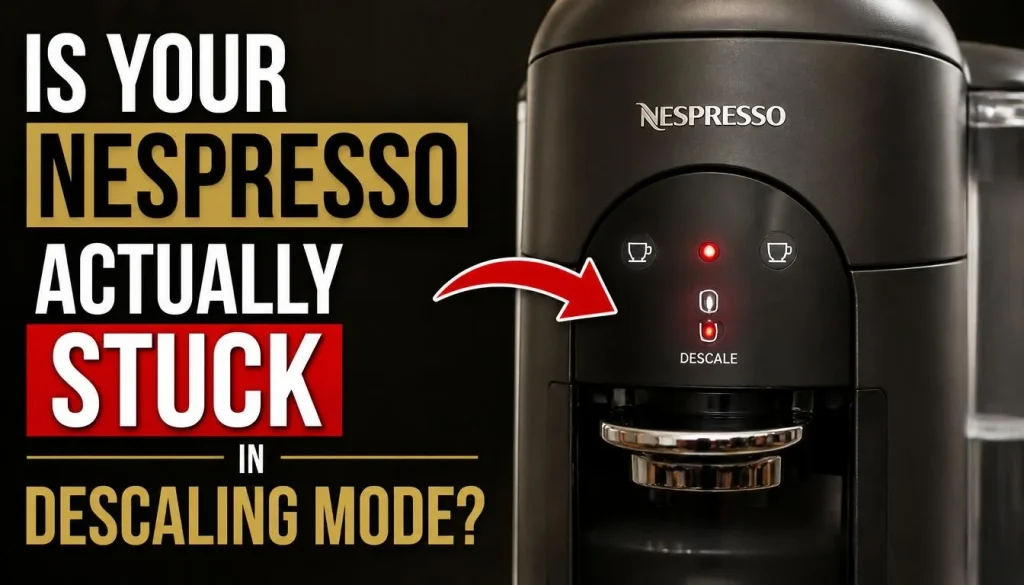
Before trying a reset, make sure your machine is really in descaling mode.
Sometimes, the machine is only showing a maintenance alert. Other times, it is still completing a cleaning or rinsing cycle.
These situations need different actions.
Signs Your Nespresso Is in Active Descaling Mode
Your machine may be in an active descaling cycle if:
- The indicator light keeps blinking while water flows through the machine.
- The machine makes a pumping or operating noise.
- Pressing the coffee button does not start normal brewing.
- The machine continues to follow a cleaning or rinsing sequence.
- The light does not return to its normal ready state after the expected cycle.
If water is still flowing or the machine is running, do not try random button combinations. Allow the process to finish according to the model’s instructions.
Signs Your Nespresso Only Needs Descaling
A descaling alert does not always mean the machine is already in descaling mode.
For example, the Nespresso Vertuo Pop guide explains that three orange flashes followed by a steady white light indicate that descaling is needed.
This is a maintenance reminder. It does not mean the machine has completed a descaling cycle or is stuck in one.
The correct next step is to start the required descaling procedure when you are ready.
How to Identify Your Nespresso Model
Look at the name printed on your machine or check the label on its base.
You should also identify whether you have an Original or Vertuo machine.
Original models commonly include Essenza Mini, Inissia, Pixie, and CitiZ. Many of these machines have two cup buttons.
Vertuo models include Vertuo Next, Vertuo Pop, and Vertuo Plus. They generally use a different control layout and descaling process.
Do not choose an exit procedure just because the machine looks similar to another model. Even machines from the same family may have different controls.
Why Is Your Nespresso Stuck in Descale Mode?

Several things can prevent a Nespresso machine from returning to normal operation.
1. The Final Rinse Cycle Was Not Completed
Descaling does not end when the cleaning solution finishes flowing through the machine.
Most Nespresso models also require a fresh-water rinse.
If you stop after the descaling solution runs out, the machine may remain in its cleaning process. It may continue blinking or refuse to brew.
Check your model’s guide and make sure every required rinse step is complete.
2. You Used the Wrong Button Combination
This is a common reason for confusion.
Some Original machines use both cup buttons to exit descaling mode, but the holding time varies.
For example, the Essenza Mini guide specifies 5 seconds, while the Pixie guide specifies 1–3 seconds.
Vertuo Plus uses a different combination involving the top button and lever.
Using the wrong sequence may not produce the expected result.
3. The Descaling Cycle Was Interrupted
You may have unplugged the machine, switched off the power, or stopped the process before it finished.
This is especially important for Vertuo Next and Vertuo Pop.
Nespresso states that their active descaling procedure cannot be interrupted or exited normally. If the machine is unplugged during the process, it can return to descaling mode when powered on again.
In this situation, completing the required cycles is more appropriate than repeatedly trying to reset the machine.
4. The Water Tank Ran Empty or Was Removed Too Early
Some models need water throughout the cleaning and rinsing process.
If the tank runs empty before the required cycle finishes, the machine may not complete the procedure.
A poorly positioned reservoir can also interrupt normal water delivery.
Check the water level and make sure the tank is correctly installed before continuing.
5. You Mistook a Heating Light for a Descaling Error
A Nespresso machine may continue blinking briefly after leaving descaling mode because it is heating up.
On some Original models, the lights blink more slowly during heating and become steady when the machine is ready.
Do not assume that every blinking light means the descaling process is still active.
6. The Machine Has an Error or Overheating Problem
If the machine continues blinking in an unusual pattern, it may have an electronic error or need time to cool down.
Stop repeated button presses.
Let the machine cool if the manufacturer recommends it. If the warning remains, check the exact model’s troubleshooting guide or contact Nespresso.
How to Exit Descaling Mode on Nespresso Original Machines
Original machines often have two cup buttons, but their exit procedures are not identical.
Follow the instructions for your model.
Nespresso Essenza Mini Stuck in Descale Mode
The official Essenza Mini descaling guide instructs users to hold both cup buttons for 5 seconds to exit descaling mode.
Before doing this, complete the required fresh-water rinsing steps.
Follow these steps:
- Empty the remaining descaling solution as directed by the guide.
- Rinse the water tank thoroughly.
- Fill it with fresh drinking water.
- Place a suitable container under the coffee outlet.
- Run the required fresh-water rinse.
- Repeat the additional rinses specified in the guide.
- Press and hold both cup buttons for 5 seconds.
After the exit command, the blinking speed should slow down and the lights should become steady.
You can follow the official Nespresso Essenza Mini descaling guide for the complete procedure.
Nespresso Inissia Stuck in Descale Mode
The Inissia has a two-button control system.
According to its official descaling guide, you should complete the fresh-water rinse and then:
- Place a container under the coffee outlet.
- Allow the full fresh-water rinse to pass through the machine.
- Press and hold both cup buttons for 3 seconds.
The blinking speed should slow down, followed by steady lights.
Do not confuse the 3-second exit step with the procedure for entering descaling mode.
For the full instructions, see the official Nespresso Inissia descaling guide.
Nespresso Pixie Stuck in Descale Mode
The Pixie uses a slightly different button-holding time.
After completing the descaling and fresh-water rinse steps:
- Make sure the water tank contains fresh water.
- Complete the required rinse through the coffee outlet.
- Press and hold both cup buttons for 1–3 seconds.
- Release the buttons and check the indicator lights.
The official guide says the lights should become steady or slow down before becoming steady.
Read the official Nespresso Pixie descaling guide if the lights do not respond as expected.
Nespresso CitiZ Stuck in Descale Mode
For the standard CitiZ procedure covered by Nespresso’s US descaling guide, both cup buttons must be held for 3–5 seconds after the rinse cycle.
Try this:
- Finish the full fresh-water rinse.
- Make sure the water tank and removable parts are correctly installed.
- Press and hold both cup buttons together for 3–5 seconds.
- Release them when the indicator lights change.
The lights should become steady or slow down before becoming steady.
Note: CitiZ Platinum uses a different control layout. Do not apply the standard two-button procedure to it. Check the standard CitiZ guide or the separate CitiZ Platinum guide.
What About Lattissima and Other Original Models?
Some other Nespresso machines use more complex descaling controls.
For example, Lattissima models may use a dedicated descaling pipe or separate beverage buttons. Expert and Creatista models can also have different operating procedures.
Do not assume that the two-button exit method works on these machines.
Use the exact model’s official manual. You can also visit Nespresso Machine Assistance to find instructions for your machine.
How to Get Nespresso Vertuo Out of Descale Mode
Vertuo models do not all use the same exit procedure.
Some machines finish the process automatically. Others require a specific final action after rinsing.
Nespresso Vertuo Next Stuck in Descale Mode
The Vertuo Next descaling process has two main stages:
- Running the descaling solution through the machine.
- Rinsing the internal system with fresh drinking water.
After the first stage finishes, follow these steps:
- Empty the container used to collect the descaling solution.
- Remove and rinse the water tank.
- Fill the tank with fresh drinking water.
- Reinstall the water tank and removable parts.
- Place a suitable container under the coffee outlet.
- Press and release the button to start the rinse phase.
- Wait until the machine stops making noise.
According to Nespresso’s guide, the machine should stop automatically, and the cup button should become steady.
This is the normal completion process. You do not need to use a random reset combination to finish it.
What if you unplugged the Vertuo Next during descaling?
Nespresso states that the machine can return to descaling mode after it is powered on again. Both the descaling and rinsing cycles may need to be repeated.
The 7-second button hold shown in the Vertuo Next guide is part of entering descaling mode. It should not be treated as a universal way to interrupt an active cycle.
For more details, read the official Nespresso Vertuo Next descaling guide.
Nespresso Vertuo Pop Stuck in Descale Mode
Vertuo Pop has an important difference: its active descaling mode cannot be interrupted or exited early.
If you unplug the machine during descaling, Nespresso says it will enter descaling mode again when you restart it. Both cycles must then be repeated.
If the machine is still running the process, do not keep pressing the button or disconnecting the power.
Instead:
- Allow the descaling solution to finish running through the machine.
- Empty the collection container.
- Rinse the water tank and fill it with fresh drinking water.
- Reinstall the tank and removable parts.
- Place the collection container under the coffee outlet.
- Press and release the button to start the rinse phase.
- Wait until the machine stops making noise and the button becomes steady.
The machine should return to its normal ready state automatically.
The 7-second button hold used in the Vertuo Pop guide is part of entering descaling mode. It is not an instruction to cancel an active cycle.
You can find the steps in the official Nespresso Vertuo Pop descaling guide.
Nespresso Vertuo Plus Stuck in Descale Mode
Vertuo Plus uses a different exit command from Vertuo Next and Pop.
After the descaling solution has finished running:
- Empty and rinse the water tank.
- Fill it with fresh drinking water.
- Reinstall the tank.
- Place a suitable container under the coffee outlet.
- Press and release the button to start the rinse cycle.
- Wait until the machine completes the rinse.
During the rinse, the orange light may blink at regular intervals.
When the rinse is finished, press and hold the top button and the lever together for 3 seconds, or until the light becomes green.
Nespresso also recommends allowing the machine to rest for 10 minutes before using it.
This is the model-specific exit procedure described in the official Nespresso Vertuo Plus descaling guide.
What Do Nespresso Blinking Lights Mean During Descaling?
Blinking lights can be confusing because the same-looking indicator may mean different things on different machines.
Use the following table as a starting point, not as a universal diagnosis.
| Light behavior | What it may mean | What to check |
|---|---|---|
| Both Original cup buttons blink quickly | Descaling mode on supported models | Check the required rinse and exit steps |
| Original buttons blink slowly | The machine may be heating | Wait for the lights to become steady |
| Vertuo Pop flashes orange three times, then turns steady white | Descaling alert | Descaling is needed |
| Vertuo Next blinks orange rapidly during an active cycle | Descaling process is running | Allow the cycle to finish |
| Light remains unusual after the complete cycle | The machine may not have completed the process or may have an error | Check the exact model manual |
Do not use a blinking-light pattern from an Essenza Mini to diagnose a Vertuo Next.
If the light pattern does not match the guide for your machine, check Nespresso’s official troubleshooting information before attempting another reset.
What If Your Nespresso Still Won’t Exit Descale Mode?
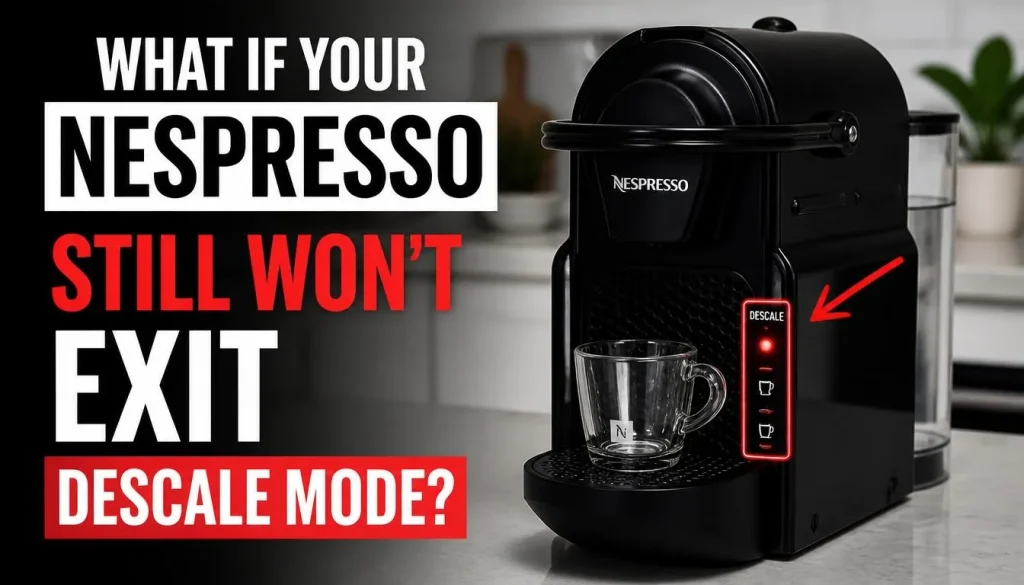
If the correct model-specific procedure does not work, follow these checks in order.
1. Confirm That the Rinse Cycle Is Complete
Check the water tank and collection container.
Make sure the fresh-water rinse has finished. Some models need the entire tank to pass through the coffee outlet before they can return to normal operation.
2. Check the Water Tank
Remove the tank if your model allows it.
Rinse it, refill it with fresh drinking water, and reinstall it correctly.
A poorly positioned tank or an empty reservoir can prevent normal water delivery.
3. Check the Capsule and Machine Lock
For Vertuo machines, make sure any used capsule has been ejected and the machine head is in the correct position.
A machine that is not properly locked may refuse to start a normal brewing cycle.
4. Wait for the Machine to Heat Up
After leaving descaling mode, some Original machines may blink slowly while heating.
Give the machine time to reach its normal operating temperature.
Do not keep pressing the buttons while it is completing this stage.
5. Check Whether the Machine Returns to Descaling Mode After Restarting
If the problem happens again after a restart, consider whether the previous process was interrupted.
This is particularly important for Vertuo Next and Vertuo Pop.
Complete the required descaling and fresh-water rinse cycles instead of repeatedly unplugging the machine.
6. Check Whether the Machine Can Brew Normally
After the machine returns to its ready state, try a normal brewing cycle with a fresh compatible capsule.
If the machine still will not brew, the cause may be separate from the descaling problem.
For additional help, see our guide to Nespresso not brewing and how to fix it.
If the machine still refuses to work after following the correct instructions, contact Nespresso support.
What You Should NOT Do When Nespresso Is Stuck in Descale Mode
Some actions can make the problem worse.
Do not use random button combinations. A sequence that works on one model may start a different function on another.
Do not unplug the machine during an active Vertuo cycle. Next and Pop models may restart the descaling process after power returns.
Do not repeatedly add descaling solution. First check whether the required rinse cycle or exit command was missed.
Do not use vinegar or an unapproved descaler. Nespresso’s model guides recommend its own descaling kit and warn that other products, including vinegar, may damage the machine.
Do not open the machine housing. Internal repairs involve electrical parts and hot-water components. Contact a qualified technician if you suspect an internal fault.
If you notice smoke, sparks, a burning smell, or water near electrical connections, stop using the machine. Disconnect power only if it is safe to do so.
When Should You Contact Nespresso Customer Support?
Home troubleshooting is useful for simple problems. However, some faults need professional attention.
Contact Nespresso if:
- The machine remains in descaling mode after the complete model-specific procedure.
- The required rinse cycle will not start.
- The water pump makes noise but no water comes out.
- The lights show an unusual or repeated error pattern.
- The machine repeatedly returns to descaling mode without an interrupted cycle.
- The machine has a leak, electrical warning, or other sign of internal damage.
Before contacting support, note your exact model and describe what happens when you press the button.
It also helps to explain whether the machine was unplugged during descaling and whether the full rinse cycle was completed.
You can visit Nespresso’s official Machine Assistance page to find model-specific support and troubleshooting instructions.
How to Prevent Nespresso Descaling Problems in the Future

A few simple habits can help you avoid getting stuck in the same situation.
Follow the Exact Descaling Guide
Use the instructions for your model rather than a general Nespresso tutorial.
Keep the manual or official guide available when you start the process.
Do Not Interrupt an Active Cycle
Set aside enough time to finish both the descaling and rinsing stages.
Avoid unplugging the machine or switching off its power while a cycle is running unless there is a safety concern.
Complete Every Rinse Step
Do not assume that the machine is ready as soon as the descaling solution stops flowing.
Follow the required fresh-water rinse instructions and check the indicator light before brewing coffee.
Use the Recommended Descaling Product
Follow Nespresso’s product and safety instructions. Avoid household cleaning products unless the manufacturer specifically approves them.
Follow the Correct Maintenance Schedule
The right descaling interval depends on your machine, water conditions, and usage.
For more guidance, read our article about how often to descale a coffee maker.
Frequently Asked Questions
Why Won’t My Nespresso Exit Descaling Mode?
Your Nespresso may still be running its rinse cycle, or it may need a model-specific button sequence to exit descaling mode. Check the exact model and complete every required step before trying a reset.
How Do I Reset My Nespresso After Descaling?
There is no single reset procedure for every Nespresso machine. Some Original models use both cup buttons, while Vertuo Plus uses the top button and lever together. Vertuo Next and Pop normally complete their cycles automatically. Follow your model’s official instructions.
Why Is My Nespresso Descale Light Still Blinking After Rinsing?
The machine may not have completed the required rinse or registered the exit command. It may also be heating up. Check the light pattern and completion procedure for your exact model.
Can I Unplug My Nespresso While It Is in Descaling Mode?
Avoid unplugging the machine during an active descaling cycle. Nespresso states that Vertuo Next and Pop can return to descaling mode after being unplugged, requiring the descaling and rinse cycles to be repeated.
Why Does My Nespresso Go Back Into Descale Mode After Restarting?
This can happen when the descaling process was interrupted before completion. It is especially important to finish both cycles on supported Vertuo Next and Pop machines. Check your manual before attempting another reset.
How Long Does Nespresso Descaling Mode Last?
The time depends on the model. Some Original procedures take around 15–20 minutes, while Vertuo Next and Pop procedures take approximately 20 minutes. Allow extra time for rinsing and the recommended rest period.
Why Is My Nespresso Dispensing Only Water After Descaling?
The machine may still be completing a cleaning or rinsing cycle. If it has returned to its normal ready state but still will not brew coffee, check the capsule, machine lock, and water supply. See our guide to Nespresso brewing problems.
Does Every Nespresso Machine Use the Same Descaling Exit Procedure?
No. Essenza Mini, Inissia, Pixie, CitiZ, Vertuo Next, Vertuo Pop, and Vertuo Plus have different instructions. Some other models also use special controls or automatic procedures. Always check your exact machine’s manual.
Will a Factory Reset Fix a Nespresso Stuck in Descale Mode?
Not necessarily. A factory reset may restore certain settings, but it does not replace an incomplete descaling or rinsing cycle. Follow the official descaling instructions first. Only use a factory reset if Nespresso recommends it for your particular issue.
Final Thoughts
A Nespresso machine stuck in descaling mode does not always need repair. In many cases, the problem comes from an incomplete rinse, an interrupted cycle, or the wrong button sequence.
Start by identifying your exact machine. Then follow its official instructions rather than using a reset method designed for another model.
Remember that Original and Vertuo machines work differently. Essenza Mini, Inissia, Pixie, and CitiZ use different button-holding times. Vertuo Next and Pop complete their descaling cycles automatically, while Vertuo Plus has its own final exit command.
If the machine still refuses to return to normal after the correct procedure, contact Nespresso before attempting internal repairs.
Taking a few minutes to follow the right steps can help you avoid unnecessary resets, repeated descaling, and possible damage to your coffee machine.

“I believe great cooking starts with the right tools, trusted advice, and a little confidence in the kitchen.”
Hi, I’m Emma Carter. My love for cooking began in my grandmother’s kitchen, where I learned that every great meal starts with simple ingredients and the right cookware. Over the years, I’ve spent countless hours researching, testing, and comparing kitchen appliances, cookware, coffee makers, air fryers, and other everyday kitchen essentials.
Here at KiCook, my goal is to make your buying decisions easier with honest product reviews, practical buying guides, and easy-to-follow cooking tips. Whether you’re upgrading your kitchen or searching for the best appliance for your home, I focus on providing clear, reliable, and research-backed information you can trust.
When I’m not testing new kitchen gadgets or writing in-depth guides, you’ll usually find me trying new recipes, visiting local farmers’ markets, or enjoying a quiet cup of coffee while planning my next kitchen project.