
Your DeLonghi coffee machine has finished descaling, but the red descale light is still on. You may have followed every step, emptied the water tank, and rinsed the machine. Yet the warning refuses to disappear.
This problem is frustrating, but it does not always mean your coffee machine is broken.
In many cases, DeLonghi does not recognize that the descaling process is complete. A missed rinse, an incomplete cycle, or an incorrect final step may keep the warning light on.
The good news is that you can check several things before calling a repair service. In this guide, I will explain why the DeLonghi descale light stays on and show you how to troubleshoot the problem safely.
Quick Answer: Why Won’t My DeLonghi Descale Light Turn Off?
Your DeLonghi descale light may stay on because the machine did not recognize the complete descaling process. A missed rinse, a water tank that was not filled to the MAX level, or an incomplete final step can cause this problem. If you have already used descaling solution, follow DeLonghi’s recommended water-only procedure for your exact model.
Why Won’t My DeLonghi Descale Light Turn Off?
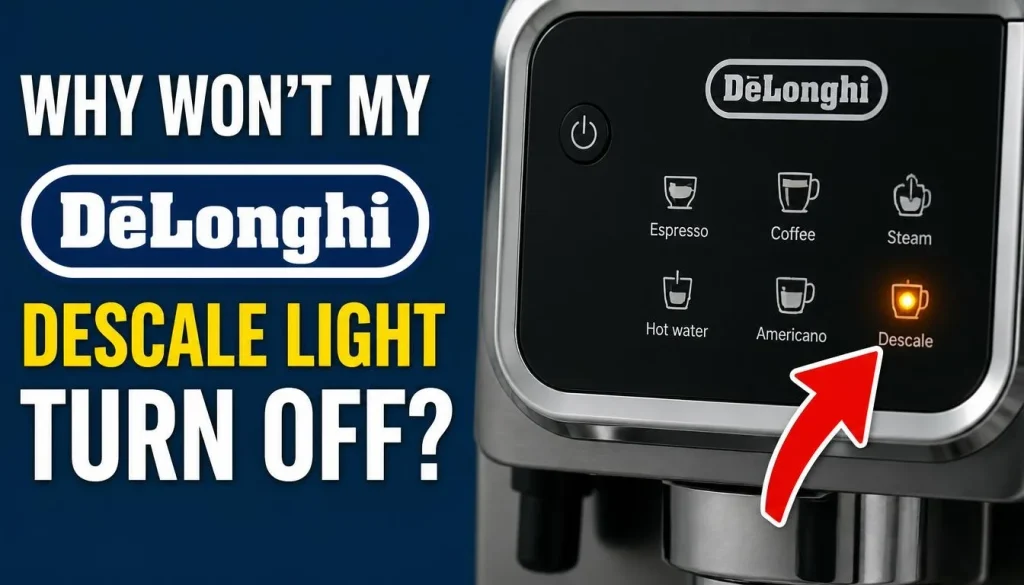
Before trying to reset the warning, it helps to understand what may have gone wrong.
Here are some common reasons why the descale light stays on after cleaning.
1. The Descaling Cycle Was Not Completed
Your DeLonghi coffee machine follows a specific sequence during descaling.
It may release water and descaling solution, pause, and then move through one or more rinsing stages. The machine needs to complete the required steps before it can recognize the process as finished.
If you switched off the machine, removed the water tank, or stopped the cycle too early, the warning may remain active.
2. You Skipped a Rinse Cycle
Descaling and rinsing are two different parts of the same maintenance process.
After the descaling solution has passed through the machine, fresh water is needed to rinse the internal system.
Some DeLonghi models require more than one rinse. If you complete only the first rinse when another is required, the descale light may stay on.
3. The Water Tank Was Not Filled to the MAX Level
This is one of the important details many users overlook.
DeLonghi specifically advises filling the water tank to the MAX level during the last two rinses for the models covered by its troubleshooting guidance.
If there is not enough water, the machine may request another rinse or fail to clear the warning.
4. The Water Tank Float Is Missing or Stuck
Some DeLonghi coffee machines have a small black movable float inside the water tank.
This part helps the machine detect the presence of water.
If the float is missing or stuck, the machine may not detect the water level correctly.
Not every DeLonghi model uses the same tank design, so check your own reservoir before looking for this part.
5. The Final Model-Specific Step Was Missed
Some DeLonghi machines require an additional action after the final rinse.
For example, certain La Specialista models require you to move the beverage dial one click toward a coffee drink after completing the last rinse.
If you skip this step, the descale light may remain on even when the rinsing process is complete.
6. The Descaling Process Was Interrupted
A power cut, accidental shutdown, or interrupted water supply can prevent the machine from completing its maintenance cycle.
In this situation, the machine may still be waiting for the remaining steps.
Follow the recovery instructions in your model’s manual instead of trying random button combinations.
How to Fix a DeLonghi Descale Light That Won’t Turn Off
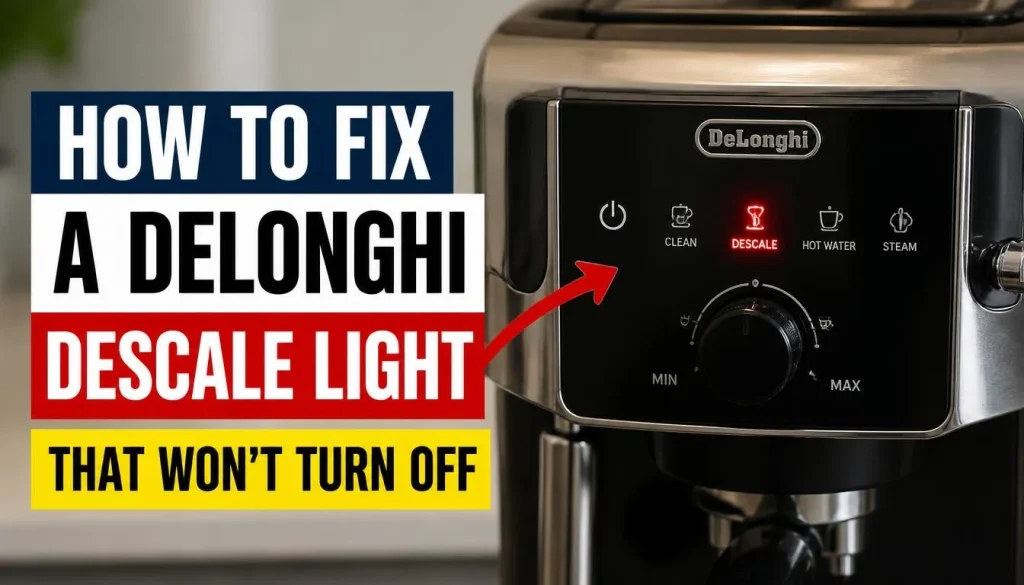
Now let’s work through the possible solutions.
Follow these checks in order. You do not need to repeat every step if you identify and correct the problem earlier.
Fix 1: Identify Your Exact DeLonghi Coffee Machine Model
Before trying any reset procedure, find out which DeLonghi machine you own.
The correct instructions may be different for:
- DeLonghi Magnifica
- DeLonghi Dedica
- DeLonghi Dinamica
- DeLonghi La Specialista
- DeLonghi PrimaDonna
Look for the model number on the product label or in the user manual.
You may see a code beginning with letters such as EC, ECAM, or other model-specific characters.
Why does this matter?
A DeLonghi Magnifica may use different controls and descaling instructions from a Dedica or La Specialista.
Using the wrong reset procedure can make the problem harder to solve.
Before continuing, find the instructions for your exact model through DeLonghi’s official support website.
Fix 2: Repeat the Descaling Procedure Using Fresh Water Only
This is one of the most useful fixes when the descale light remains on after descaling.
According to DeLonghi’s official troubleshooting guidance, if you have already used descaling solution, you should repeat the procedure using water only.
You do not need to add another dose of descaling solution just because the warning light remains on.
Follow these steps:
- Empty the water tank and rinse it thoroughly.
- Fill the tank with fresh water according to your model’s instructions.
- Place a suitable container under the required outlets.
- Start the water-only procedure using the correct controls.
- Allow the machine to complete the required rinse stages.
- Refill the tank when the machine requests more water.
- Complete the final step shown in your user manual.
Do not stop the procedure halfway through.
Also, be careful when collecting water. Some machines release hot water or steam during rinsing. Keep your hands away from the outlets.
For more information, read DeLonghi’s official instructions for a descale light that does not turn off.
Fix 3: Fill the Water Tank to the MAX Level During the Final Rinses
If the warning remains after the rinse process, check how much water you used.
DeLonghi advises filling the water tank to the MAX level during the last two rinses for the models covered by its troubleshooting instructions.
Try this:
- Remove the water tank when the machine allows you to do so.
- Empty any remaining water as instructed.
- Rinse the tank with fresh drinking water.
- Fill it up to the MAX marking.
- Reinstall the tank correctly.
- Complete the required rinse cycle.
- If another rinse is requested, fill the tank to MAX again.
Do not guess the required number of rinses. Your model’s manual should tell you which steps to complete.
If your DeLonghi machine requests another rinse because the previous water level was too low, follow that request.
Fix 4: Check the Water Tank Float and Position
A simple water tank problem can sometimes prevent your machine from recognizing the completed maintenance process.
First, remove the water tank according to the manufacturer’s instructions.
Look inside the reservoir for a small black movable piece.
This is the water tank float on models that use one.
Check the following:
- Is the float present?
- Does it move freely?
- Is it stuck in one position?
- Is the tank fitted correctly?
- Is there visible dirt around the accessible tank area?
If the float is stuck, clean the accessible area gently according to the manual.
Do not force the float or try to dismantle the tank.
If the float is missing or damaged, contact DeLonghi to ask about the correct replacement.
You can also read DeLonghi Canada’s descale light troubleshooting guide, which specifically mentions checking the black water tank float.
Fix 5: Check the Water Filter
Some DeLonghi coffee machines use a water softener filter inside the reservoir.
The filter may need to be removed before descaling and reinstalled at a particular stage of the process.
However, this instruction is not the same for every machine.
Check your user manual before removing or reinstalling anything.
Pay attention to these points:
- Does your machine have a removable water filter?
- Does the manual say to remove it before descaling?
- At which stage should you reinstall it?
- Does the filter need to be prepared or rinsed before use?
For example, some DeLonghi descaling instructions tell users to reinstall the water softener filter after a rinse stage and before continuing with another rinse.
If you put the filter back too early or leave it out when the machine expects it, the process may not match the required instructions.
For additional guidance, see DeLonghi’s Dedica and Dedica Arte descaling instructions.
Fix 6: Complete the Correct Reset Procedure for Your Model
This step is especially important if the light remains on after completing the required rinses.
Different DeLonghi machines use different controls. There is no universal reset button combination for every model.
Here are some important model-specific points.
DeLonghi La Specialista
DeLonghi has published an additional completion instruction for these models:
- La Specialista Prestigio EC9355
- La Specialista Arte EC9155
- La Specialista Arte EC9255
- La Specialista EC9335
After completing the last required rinse, turn the beverage dial one click towards any coffee drink.
This additional step is important because the machine may otherwise fail to register the completed process.
You can check this instruction directly in DeLonghi’s official troubleshooting guide.
DeLonghi Dedica and Dedica Arte
These machines have their own descaling procedures.
The sequence may involve specific button and steam dial positions. Do not copy the La Specialista dial instruction and apply it to a Dedica.
Follow the official Dedica and Dedica Arte cleaning and descaling guide.
DeLonghi Magnifica
Magnifica machines come in several versions.
Some use different buttons, displays, and rinse procedures. Find the exact model number before following a reset guide.
Do not assume that an older Magnifica and a newer Magnifica Start use the same procedure.
DeLonghi Dinamica
Dinamica models also have model-specific maintenance instructions.
Check the display and follow the required rinse and completion sequence in the correct manual. Do not use an unverified button combination to clear the warning.
The safest approach is to match the procedure to your exact machine.
Fix 7: Contact DeLonghi Support If the Light Still Stays On
Have you checked the rinse cycle, water tank, filter, and model-specific instructions?
Does the descale light still refuse to turn off?
At this stage, contacting DeLonghi support is a sensible next step.
Before contacting them, prepare:
- Your exact machine model number.
- A description of the descaling procedure you completed.
- Whether the descale light is steady or flashing.
- Any message or warning shown on the display.
- Details of what happens when you try to restart the machine.
Tell the support team that you have already followed the recommended water-only rinse procedure.
If the machine is under warranty, check the warranty conditions before attempting any internal repair.
Do not open the machine housing or try to repair its internal electrical or heating components yourself.
What Does the DeLonghi Descale Light Actually Mean?
The red descale light is a maintenance reminder.
DeLonghi explains that the warning appears after a set amount of water has passed through the machine. The timing also depends on the water hardness setting.
Hard water contains more minerals. These minerals can build up inside the coffee machine over time.
As a result, a machine used with hard water may need descaling more frequently.
What Does a Steady Red Descale Light Mean?
On models covered by DeLonghi’s general guidance, a steady red descale indicator means that descaling is required.
If you have recently descaled the machine but the light remains on, check whether it recognized the complete process.
What Does a Flashing Descale Light Mean?
A flashing red descale light can also indicate that descaling is required.
However, light patterns and their meanings can differ between models.
Do not assume that every flashing indicator means the same thing. Check the display symbols and the troubleshooting section of your particular manual.
You can find more information in DeLonghi UK’s official descale light FAQ.
Can You Use a DeLonghi Coffee Machine When the Descale Light Is On?
This depends on the machine and its current operating condition.
Some DeLonghi machines may continue to prepare coffee while displaying a descaling reminder. Others may require you to complete the descaling process before normal operation can continue.
If the machine is operating normally and its manual permits use, arrange the required descaling as soon as practical.
However, do not ignore the warning for a long time.
If the machine is stuck in descaling mode, refuses to brew, displays another error, or has unusual symptoms, stop trying to make coffee and follow the model-specific troubleshooting instructions.
If you notice smoke, a burning smell, electrical problems, or water near electrical components, stop using the machine and seek professional help.
How to Prevent the DeLonghi Descale Light From Coming Back Too Soon
Once you fix the warning, a few simple habits can help prevent the same problem from returning.
1. Set the Correct Water Hardness Level
Check your local water hardness and set the correct level in your coffee machine.
If the setting does not match the water you use, the machine may request descaling more frequently or less frequently than expected.
Follow your model’s manual to perform the water hardness test and change the setting.
2. Complete Every Descaling Step
Do not rush through the process.
Follow every instruction, including the required pauses, water refills, rinses, and final controls.
Allow the machine to finish the complete sequence before preparing coffee again.
3. Use a Suitable DeLonghi Descaling Solution
Choose a descaling product recommended by DeLonghi for your machine.
Follow the instructions on the product label. Do not mix cleaning products or use an unapproved solution.
4. Check Your Water Filter Regularly
If your model uses a water softener filter, follow the recommended replacement schedule.
A suitable filter may help reduce mineral buildup, but it does not remove the need for regular descaling.
5. Follow the Recommended Descaling Schedule
The right descaling interval depends on water hardness and how often you use the machine.
Pay attention to the warning light and follow the maintenance schedule in your manual.
Frequently Asked Questions
Why Is My DeLonghi Descale Light Still On After Descaling?
The machine may not have recognized the complete descaling process. A skipped rinse, a rushed procedure, or insufficient water during the final rinses can cause this problem. If you have already used descaling solution, DeLonghi recommends following the appropriate water-only procedure.
How Do I Reset the Descale Light on My DeLonghi Coffee Machine?
There is no single reset sequence for all DeLonghi machines. Identify your exact model, follow its complete descaling and rinse procedure, and perform any additional final step required by the manufacturer.
Why Is My DeLonghi Descale Light Flashing?
A flashing red descale light can indicate that the machine needs descaling. However, the meaning of individual lights and flashing patterns depends on the model. Check your user manual before choosing a troubleshooting procedure.
How Many Rinse Cycles Does a DeLonghi Coffee Machine Need?
The number of rinses depends on your specific model. Some machines require multiple fresh-water rinses. DeLonghi also advises filling the tank to MAX during the last two rinses for the models covered by its persistent descale-light guidance.
Can I Use Vinegar Instead of DeLonghi Descaling Solution?
Do not assume vinegar is suitable for your machine. DeLonghi recommends using a suitable descaling solution and warns that unsuitable products or incorrect procedures may cause problems. Check your model’s manual before using any alternative.
What Should I Do If My DeLonghi Descale Light Won’t Reset?
First, check the water tank, float if fitted, and required rinse steps. Then complete the model-specific final procedure. If the warning remains after following the official instructions, contact DeLonghi customer support.
Why Does My DeLonghi Descale Light Come Back After Resetting?
The machine may be detecting the need for another descaling cycle based on water usage and the programmed water hardness level. Check your water hardness setting and make sure it matches the water supply in your area.
If the light returns immediately after a correctly completed cycle, contact DeLonghi for further troubleshooting.
Final Thoughts
A DeLonghi descale light that refuses to turn off does not always mean your coffee machine needs repair.
In many cases, the problem comes from an incomplete descaling process, a missed rinse, or a model-specific final step.
Start by identifying your exact machine model. Then check the water tank, complete the required fresh-water rinses, and follow the correct reset instructions.
Remember that Magnifica, Dedica, Dinamica, and La Specialista machines do not all use the same procedure.
If you have completed every required step and the warning remains, contact DeLonghi support instead of repeatedly trying random resets.
Taking the time to follow the correct instructions can help clear the warning and keep your coffee machine working as expected.

“I believe great cooking starts with the right tools, trusted advice, and a little confidence in the kitchen.”
Hi, I’m Emma Carter. My love for cooking began in my grandmother’s kitchen, where I learned that every great meal starts with simple ingredients and the right cookware. Over the years, I’ve spent countless hours researching, testing, and comparing kitchen appliances, cookware, coffee makers, air fryers, and other everyday kitchen essentials.
Here at KiCook, my goal is to make your buying decisions easier with honest product reviews, practical buying guides, and easy-to-follow cooking tips. Whether you’re upgrading your kitchen or searching for the best appliance for your home, I focus on providing clear, reliable, and research-backed information you can trust.
When I’m not testing new kitchen gadgets or writing in-depth guides, you’ll usually find me trying new recipes, visiting local farmers’ markets, or enjoying a quiet cup of coffee while planning my next kitchen project.