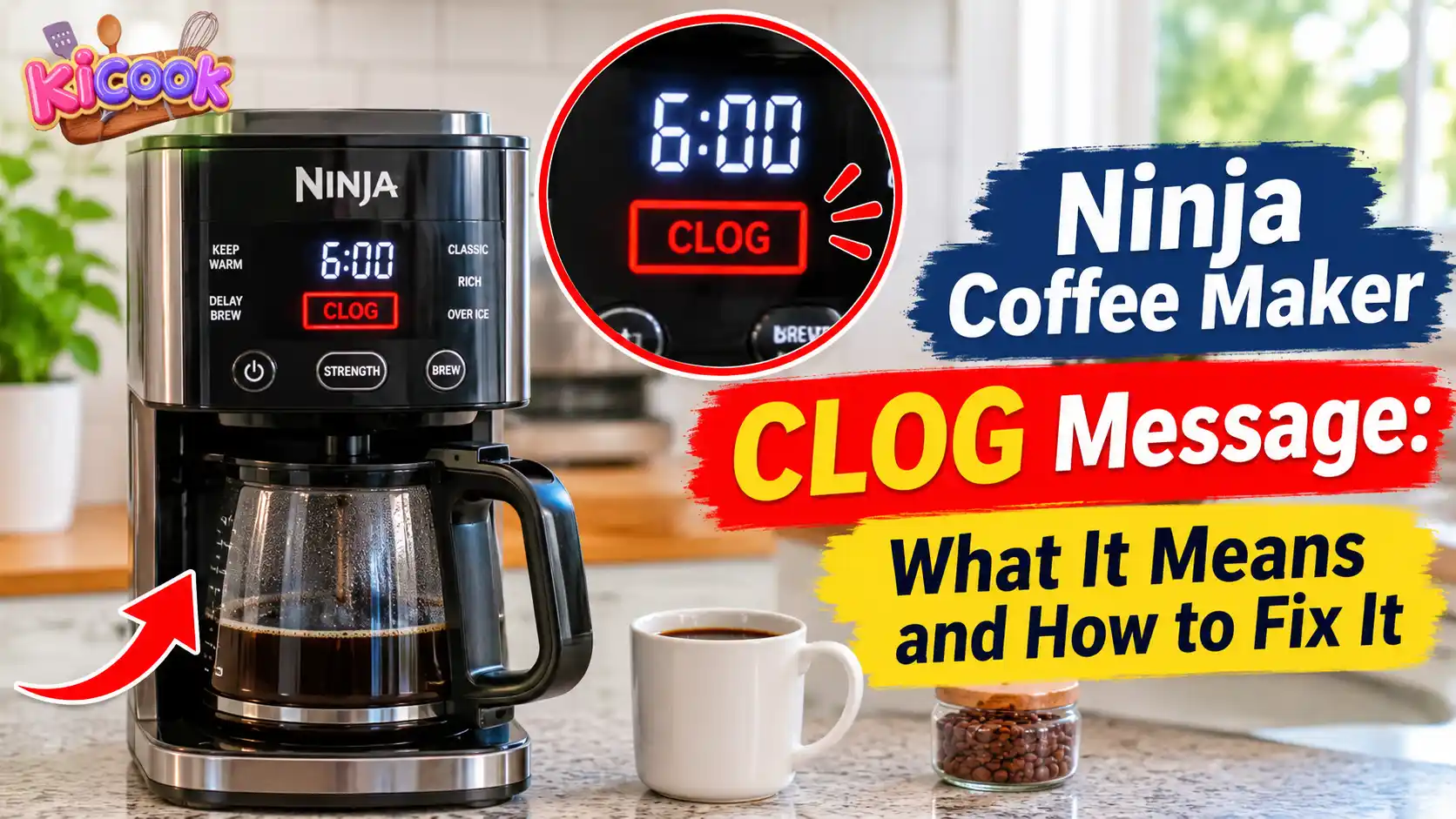
Quick Answer: A Ninja coffee maker CLOG message usually means coffee grounds are blocking the top or bottom needles, or mineral scale has built up inside the brewing system. Start by checking whether your coffee pod is properly punctured. Then inspect and clean the needles, restart the machine, and run a water-only brew if your model supports this procedure. If the warning remains, follow the correct descaling instructions in your Ninja owner’s guide.
You prepare your coffee, press the brew button, and expect your usual morning cup. Instead, your Ninja coffee maker displays a frustrating CLOG message and refuses to brew normally.
This can be confusing, especially when the machine worked perfectly the day before.
The good news is that a CLOG message does not automatically mean your coffee maker is broken. In many cases, coffee grounds have collected around the pod needles or mineral deposits are affecting the internal water system.
However, the correct solution depends on your Ninja model. A DualBrew coffee maker may need a different cleaning procedure from another Ninja coffee machine.
In this guide, you will learn what the CLOG message means, how to check the needles, when to use the Ninja De-Clog Tool, and what to do if the warning keeps coming back.
Let’s start with the most common causes.
What Does CLOG Mean on a Ninja Coffee Maker?
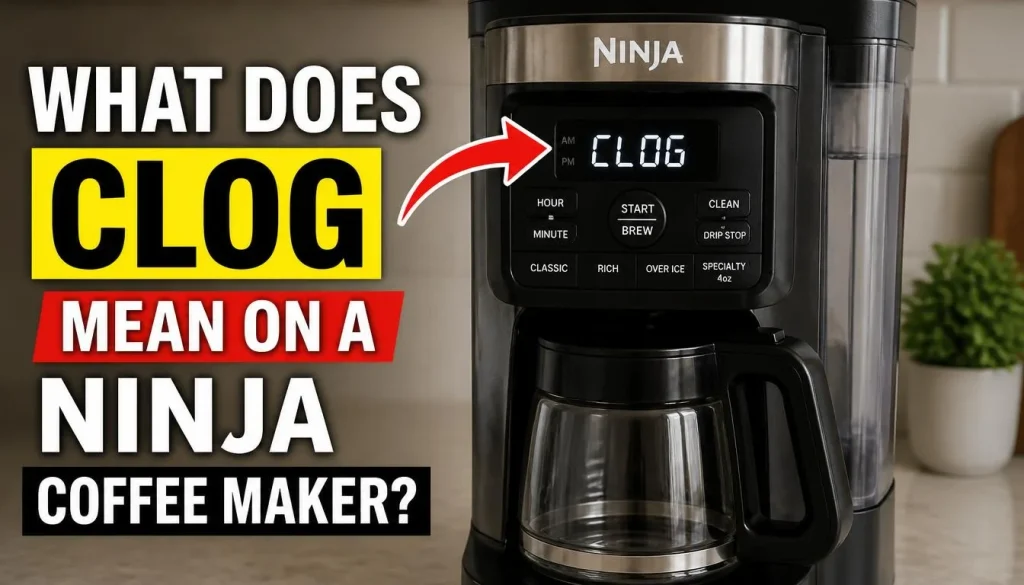
On the Ninja DualBrew CFP100 Series, the CLOG message indicates one of two problems:
- Coffee grounds have collected inside the top or bottom needles.
- Calcium scale has built up inside the brewing system.
Both problems can affect how water moves through the machine. As a result, your coffee maker may struggle to brew normally.
1. Coffee Grounds Are Blocking the Needles
When you use coffee pods, the machine pierces the pod through its upper and lower needles.
During brewing, small coffee particles can collect around these openings. Over time, the buildup may restrict water flow.
You may notice:
- The machine displays a CLOG warning.
- Coffee comes out slowly or stops flowing.
- The pod does not get punctured properly.
- Coffee grounds or particles appear around the pod adapter.
If you notice these signs, inspect the needles before attempting a descaling cycle.
2. Calcium Scale Is Building Up Inside the Machine
Mineral deposits can develop when water passes through a coffee maker repeatedly.
This buildup is commonly called limescale.
Hard water contains more dissolved minerals than soft water. Therefore, coffee makers used in hard-water areas may develop scale more quickly.
If scale collects inside the brewing system, it can interfere with normal water flow.
You may also notice slow brewing, unusual gurgling sounds, or an illuminated CLEAN indicator.
3. Is the CLOG Message a Sign of a Broken Coffee Maker?
Not necessarily.
A blocked needle or mineral buildup may trigger the warning even when the main machine components are working properly.
Start with the cleaning steps recommended in your owner’s guide.
If the warning remains after proper troubleshooting, the machine may need further inspection or professional service.
Which Ninja Coffee Maker Models Display the CLOG Message?
Before trying any repair, check your coffee maker’s model number.
The CLOG display instructions discussed in this guide are documented in the Ninja DualBrew CFP100 Series owner’s guide.
Other Ninja models may have different displays, accessories, and maintenance instructions. Do not assume that every Ninja coffee maker uses the same warning system.
Ninja DualBrew CFP100 Series
The CFP100 Series supports brewing with both coffee grounds and single-serve pods.
Its owner’s guide explains that the CLOG message can appear when grounds collect inside the upper or lower needles or when calcium scale builds up inside the brewing system.
The manual also provides specific troubleshooting steps for checking pod puncturing, cleaning the needles, and running a cleaning cycle.
Ninja DualBrew CFP105CO
The CFP105CO is another DualBrew model.
Ninja lists this model as compatible with its De-Clog Tool. However, accessory compatibility does not automatically mean that every troubleshooting instruction for the CFP100 Series applies to it.
Always check the CFP105CO owner’s guide for its exact cleaning procedure.
How to Find Your Ninja Coffee Maker Model Number
Not sure which model you have?
Try these steps:
- Turn off the coffee maker and allow it to cool.
- Look for the product information label on the back or bottom of the machine.
- Find the model number.
- Search for that model on the official Ninja website.
- Download the matching owner’s guide.
Having the correct model number helps you avoid using an unsuitable cleaning method.
How to Fix the Ninja Coffee Maker CLOG Message: 7 Easy Fixes
Try the following troubleshooting steps in order. You may not need all seven.
Important: Turn off and unplug the coffee maker before cleaning removable parts or inspecting the needles. Allow hot components to cool completely. Never put the machine’s electrical body, plug, or power cord in water.
1. Check Whether Your Coffee Pod Is Properly Punctured
If you are using the single-serve pod function, start by checking the used coffee pod.
The Ninja DualBrew CFP100 Series owner’s guide explains that both the top and bottom of the pod should be punctured during brewing.
A pod that has not been pierced correctly may interfere with the normal brewing process.
Here is what to do:
- Turn off the coffee maker and allow it to cool.
- Remove the used pod carefully.
- Check whether the top and bottom have visible puncture holes.
- If the pod was not punctured, try another compatible pod.
- Press the pod down firmly as described in your model’s manual, then close the lid.
If the new pod still does not get punctured, stop trying to force the lid closed.
The CFP100 Series guide recommends contacting Ninja Customer Service when a new pod still fails to puncture.
2. Inspect the Top and Bottom Needles for Coffee Grounds
If the pod was punctured correctly, the next step is to check the needles.
Coffee particles can collect around the openings and restrict water flow.
Follow these steps:
- Turn off and unplug your coffee maker.
- Let the machine cool completely.
- Open the pod compartment.
- Carefully inspect the visible top and bottom needles.
- Look for coffee grounds or other visible debris.
Do not touch the needle tips with your fingers.
If you find visible grounds, clean them only as instructed in your model’s owner’s guide.
The CFP100 Series manual specifically recommends using a flat wire or plastic clip, such as a paper clip, to remove visible coffee grounds.
Use extreme care. Do not push anything deeply into the needle, bend it, or force debris further inside.
3. Clean the Blocked Needles Using the Recommended Method
Finding coffee grounds is only the first part of the process. You also need to remove the blockage safely.
For the CFP100 Series, Ninja recommends using a flat wire or plastic clip to clean visible grounds from the top and bottom needles.
Work gently and remove only the debris you can safely reach.
Avoid using:
- Thick metal wires that may damage the needles.
- Sharp tools that can enlarge or bend the openings.
- Excessive force to push through a blockage.
- Water directly on electrical parts.
If the blockage is difficult to remove, stop rather than risk damaging the pod assembly.
You can also check whether your model supports the Ninja De-Clog Tool, which is designed specifically for compacted grounds in the top needle.
4. Use the Ninja De-Clog Tool if Your Model Supports It
Some Ninja coffee makers support a special accessory called the De-Clog Tool.
This tool is designed to help flush out compacted coffee grounds from the top needle.
It may be useful when ordinary cleaning does not remove a stubborn blockage.
Before using it, check the compatibility list on the official Ninja De-Clog Tool product page.
Ninja currently lists several compatible models, including CFP100, CFP101, CFP105CO, CFP150, PB040, PB050, and PB051 variants.
How should you use it?
- Confirm that your model is listed as compatible.
- Turn off and unplug your coffee maker.
- Allow the machine to cool.
- Follow the tool’s included instructions.
- Do not force the tool into the needle.
- Check whether the visible blockage has cleared.
Remember, this accessory is intended to help clear compacted grounds from the top needle. It is not a replacement for the separate bottom-needle cleaning instructions in your owner’s guide.
If the tool does not clear the blockage, contact Ninja Support instead of repeatedly forcing it into the machine.
5. Restart Your Ninja Coffee Maker and Run a Water-Only Brew
After cleaning visible grounds from the needles, the CFP100 Series manual recommends restarting the brewer and running a water-only full-carafe Classic brew.
This helps clear remaining coffee particles from the brewing system.
Follow these steps:
- Make sure the coffee maker is clean and properly assembled.
- Remove any used coffee pod.
- Plug the machine back into the outlet.
- Turn the coffee maker on.
- Fill the water reservoir with fresh water without exceeding the Full line.
- Place the empty carafe beneath the brew basket.
- Select the full-carafe Classic brew option.
- Allow the cycle to finish.
Discard the water after the cycle.
Check the display to see whether the CLOG message has disappeared.
Important: This water-only flush is part of the needle-cleaning procedure for the CFP100 Series. It is not a substitute for the actual descaling cycle.
6. Run the Correct CLEAN and Descaling Cycle
If you cannot find visible grounds in the needles or the CLOG message remains after cleaning, mineral scale may be responsible.
In this situation, a proper cleaning and descaling cycle may help.
For the Ninja DualBrew CFP100 Series, the owner’s guide provides a specific procedure.
Here is the general process described in that guide:
- Place the empty carafe beneath the brew basket.
- Add 16 oz of white vinegar to the water reservoir.
- Fill the remaining space with water, without exceeding the Full line.
- Press the CLEAN button.
- Confirm the full-carafe cleaning cycle as instructed.
- Allow the cleaning cycle to finish.
The CFP100 Series cleaning cycle takes approximately 75 minutes.
Do not remove the carafe while the cleaning cycle is running.
After completion:
- Empty the carafe.
- Wash the water reservoir with warm, soapy water.
- Fill the reservoir with fresh water up to the Full line.
- Run a full-carafe Classic water-only brew.
- Discard the water and clean the carafe and brew basket.
The owner’s guide also discusses a coffee-maker-specific descaling solution. However, cleaning instructions and approved products can vary by model. Follow the exact instructions for your own brewer and do not mix vinegar with another descaling product.
If you want to understand why descaling schedules matter, read our guide on how often you should descale your coffee maker.
7. Contact Ninja Customer Support If the CLOG Message Remains
Sometimes the CLOG warning does not disappear after cleaning and descaling.
If you have completed the recommended steps without success, the problem may require further inspection.
Contact Ninja Support when:
- The machine repeatedly shows CLOG after proper cleaning.
- A new compatible pod still does not get punctured.
- You cannot remove the visible blockage safely.
- The warning returns immediately after troubleshooting.
- The coffee maker stops brewing despite following the manual.
Before contacting support, prepare:
- Your coffee maker model number.
- The serial number.
- Your purchase date.
- A description of the problem.
- The cleaning steps you have already tried.
Use the official Ninja Customer Support website to find the appropriate help for your region.
Do not open the electrical housing or attempt to repair internal electrical components yourself.
How to Use the Ninja De-Clog Tool Properly
The Ninja De-Clog Tool deserves special attention because it is designed for a specific type of blockage.
It helps flush compacted coffee grounds from the top needle. It is not a universal cleaning tool for every coffee maker.
What Is the Ninja De-Clog Tool?
The De-Clog Tool is a small accessory made for compatible Ninja coffee makers.
Its purpose is to help clear compacted coffee grounds that may block the top needle.
You do not need to buy one unless your model supports it and you have a problem that this accessory is intended to address.
Which Models Are Compatible?
Ninja’s current product page lists several compatible models, including:
- CFP100
- CFP101
- CFP105CO
- CFP105CCO
- CFP150
- CFP150C
- PB040
- PB041
- PB050
- PB051
Some regional and variant model numbers are also included.
Always check the latest compatibility list before purchasing the tool. Similar-looking model numbers do not necessarily mean that an accessory will fit.
What If the De-Clog Tool Does Not Work?
If the top needle remains blocked after following the tool’s instructions, do not push harder.
The blockage may be too deep, or the problem may involve mineral scale rather than compacted grounds.
Return to your model’s troubleshooting instructions and contact Ninja Support when necessary.
Ninja Coffee Maker CLOG Message Won’t Go Away? Try These Checks
It can be frustrating when the warning remains even after you have cleaned the machine.
The next step is to identify which part of the troubleshooting process has not solved the problem.
CLOG Message Remains After Cleaning the Needles
First, check whether there are still visible grounds around the needles.
Also make sure the pod adapter and other removable parts are positioned correctly.
For the CFP100 Series, follow the recommended power restart and full-carafe Classic water-only flush after needle cleaning.
If the warning remains, follow the next step in the owner’s guide.
CLOG Message Still Appears After Descaling
Descaling removes mineral deposits, but it does not necessarily remove every piece of trapped coffee debris.
Do not keep repeating the cleaning cycle without checking the needles and following the correct procedure.
Also confirm that the full descaling cycle finished properly and that you completed the fresh-water rinse.
If your coffee maker is still brewing slowly after descaling, our guide on fixing a coffee maker that is still slow after descaling covers other possible causes of restricted water flow.
The CLOG Message Keeps Coming Back
A recurring warning may indicate that grounds are continuing to collect or that mineral buildup has not been fully addressed.
Check your cleaning routine, pod compatibility, and descaling schedule.
If the machine repeatedly displays CLOG even after correct maintenance, seek help from Ninja Support.
When Should You Stop Troubleshooting?
Stop using the machine if you notice:
- Smoke or sparks.
- A burning electrical smell.
- A damaged power cord.
- Water leaking near electrical components.
- Unusual overheating.
Disconnect the appliance from power if you can do so safely and arrange professional assistance.
Ninja CLOG Message vs. CLEAN Light: What’s the Difference?
The CLOG message and CLEAN indicator are related to maintenance, but they do not mean exactly the same thing.
| Display or Indicator | What It Means |
|---|---|
| CLOG | Coffee grounds may be inside the top or bottom needles, or calcium scale may have built up. |
| CLEAN indicator | The machine is recommending a cleaning and descaling cycle. |
| Add Wtr | The machine does not have enough water to complete the selected brew. |
| End | The brewing cycle has finished. |
| Er followed by a number | A numbered error has appeared; consult Ninja Support. |
For the CFP100 Series, the CLOG message requires you to check the needles first. The CLEAN indicator, on the other hand, tells you that the machine needs its recommended cleaning cycle.
If your cleaning cycle refuses to finish or the indicator stays on, our guide on how to fix a coffee maker cleaning cycle that is stuck may help you understand the difference between a normal pause and an interrupted cleaning cycle.
How to Prevent the Ninja Coffee Maker CLOG Message
You cannot prevent every blockage, but regular maintenance can reduce the chances of coffee grounds and mineral deposits causing trouble.
1. Clean the Pod Adapter and Removable Parts
Remove used pods after brewing.
Clean the pod adapter and removable brewing parts according to your model’s instructions.
Do not leave wet coffee grounds inside the machine for long periods.
2. Use Compatible Coffee Pods
Incorrect or damaged pods may not fit or puncture properly.
Choose compatible pods and avoid forcing the lid closed when something does not fit.
3. Descale According to Your Model’s Instructions
Mineral deposits build up over time, especially when you use hard water.
Follow the descaling schedule recommended for your specific machine.
You can also read our guide on how often to clean a coffee maker to build a simple maintenance routine.
4. Check the Needles When Brewing Problems Appear
If your coffee maker suddenly stops dispensing coffee normally, inspect the accessible pod components after switching off and cooling the machine.
Taking care of small blockages early may prevent more frustrating brewing problems.
5. Avoid Unapproved Cleaning Products
Do not use random household cleaners or chemical mixtures inside your coffee maker.
Use only the cleaning method and products allowed by your model’s owner’s guide.
Frequently Asked Questions
Why Does My Ninja Coffee Maker Say CLOG?
A CLOG message on the Ninja DualBrew CFP100 Series means coffee grounds may have collected inside the top or bottom needles, or calcium scale may have developed inside the brewing system. Check the pod punctures and needles first. If cleaning does not solve the issue, follow the recommended descaling procedure.
How Do I Clear the CLOG Message on My Ninja DualBrew?
Start by checking whether the coffee pod has been punctured properly. Inspect the top and bottom needles for visible coffee grounds and clean them using the method recommended in your owner’s guide. For the CFP100 Series, restart the machine and run a full-carafe Classic water-only brew. If the warning remains, a descaling cycle may be needed.
Can I Use a Paper Clip to Unclog a Ninja Coffee Maker?
The Ninja DualBrew CFP100 Series owner’s guide recommends using a flat wire or plastic clip, such as a paper clip, to remove visible grounds from the needles. Always unplug the machine and allow it to cool first. Use gentle pressure and never force the tool into the needle. Other models may have different instructions.
What Should I Do If My Ninja Coffee Maker Says CLOG After Descaling?
Check the top and bottom needles again for remaining coffee grounds. Make sure the descaling process finished correctly and that you completed the required fresh-water rinse. If the CLOG message remains, stop repeating the cleaning cycle and contact Ninja Support for model-specific assistance.
Why Is My Ninja Coffee Maker Not Puncturing K-Cups?
The pod may be damaged, incompatible, or incorrectly positioned. Try a new compatible pod and close the lid firmly as described in the owner’s guide. If another pod still does not get punctured, the needle assembly may need professional inspection.
Does Every Ninja Coffee Maker Have a CLOG Message?
No. You should not assume that every Ninja coffee maker uses the same display messages or troubleshooting procedure. The CLOG message is specifically documented in the CFP100 Series owner’s guide. Check your own model’s manual before following these instructions.
Does the Ninja De-Clog Tool Work on Every Model?
No. The De-Clog Tool is designed for specific compatible Ninja models. Check the official Ninja product page for the latest model list before buying or using it.
How Long Does the Ninja Coffee Maker CLEAN Cycle Take?
The Ninja DualBrew CFP100 Series owner’s guide states that its CLEAN cycle takes approximately 75 minutes. Other Ninja coffee makers may have different cleaning times, so check your model’s manual.
Why Does the CLOG Message Keep Coming Back?
The warning may return if coffee grounds continue to collect around the needles or mineral scale remains inside the brewing system. Check your pod compatibility, cleaning routine, and descaling schedule. If the warning repeatedly returns after following the correct procedure, contact Ninja Support.
Final Thoughts
Seeing a CLOG message on your Ninja coffee maker can interrupt your morning routine, but it does not always mean you need a new machine.
Start with the simple checks. Make sure your pod is punctured correctly, inspect the needles, and remove visible coffee grounds using the recommended cleaning method.
If you have a compatible model, the Ninja De-Clog Tool may help with compacted grounds in the top needle. When the problem points to mineral buildup, follow the correct descaling procedure for your machine.
Most importantly, do not assume that every Ninja coffee maker uses the same cleaning instructions.
Check your model number, use the correct owner’s guide, and contact Ninja Support when the warning does not clear.
A careful approach can help you avoid unnecessary repairs and get back to enjoying your daily coffee.

“I believe great cooking starts with the right tools, trusted advice, and a little confidence in the kitchen.”
Hi, I’m Emma Carter. My love for cooking began in my grandmother’s kitchen, where I learned that every great meal starts with simple ingredients and the right cookware. Over the years, I’ve spent countless hours researching, testing, and comparing kitchen appliances, cookware, coffee makers, air fryers, and other everyday kitchen essentials.
Here at KiCook, my goal is to make your buying decisions easier with honest product reviews, practical buying guides, and easy-to-follow cooking tips. Whether you’re upgrading your kitchen or searching for the best appliance for your home, I focus on providing clear, reliable, and research-backed information you can trust.
When I’m not testing new kitchen gadgets or writing in-depth guides, you’ll usually find me trying new recipes, visiting local farmers’ markets, or enjoying a quiet cup of coffee while planning my next kitchen project.