Quick Answer: Why Is My Coffee Maker Warming Plate Not Hot?
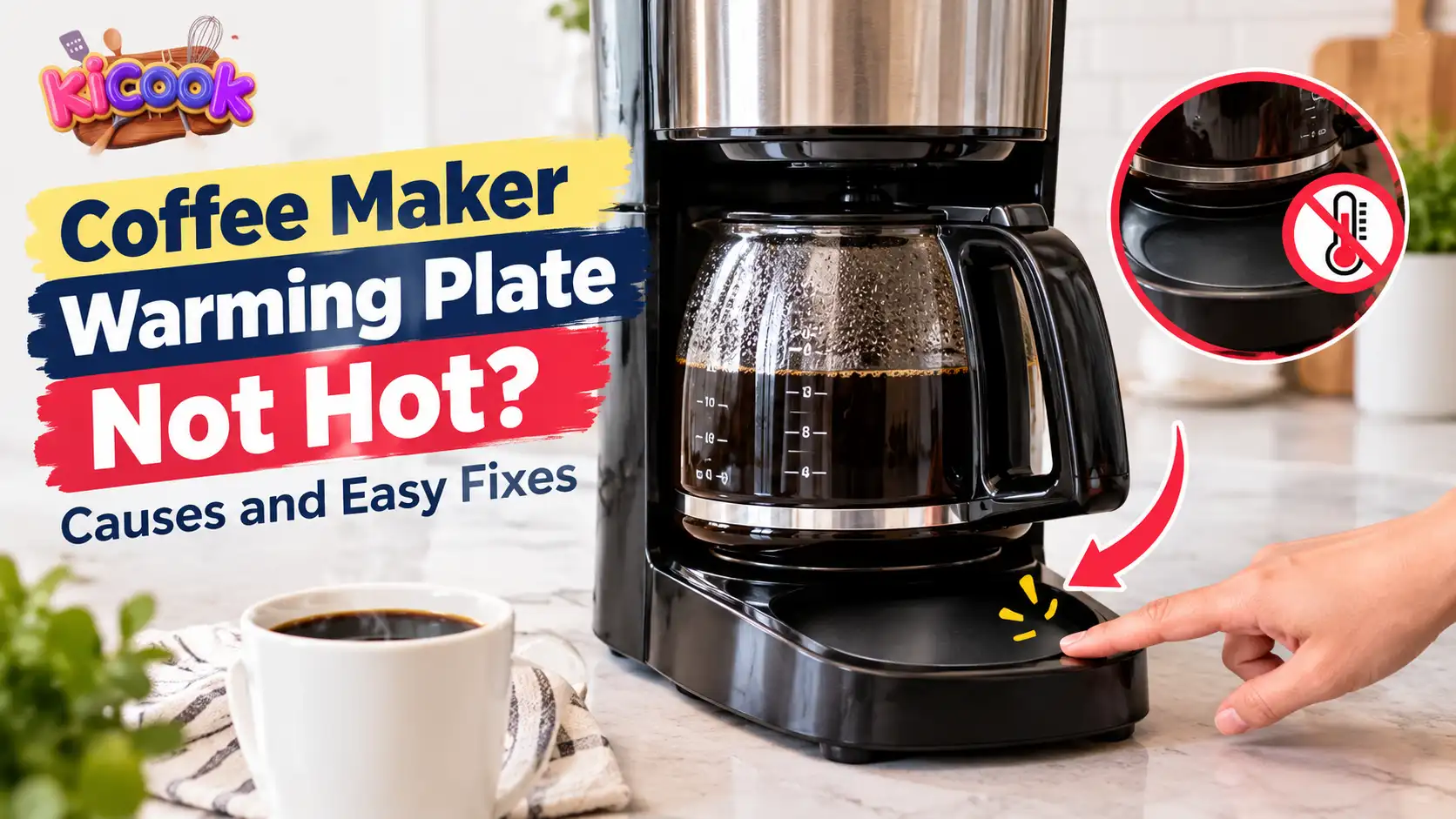
If your coffee maker’s warming plate is not hot, first check whether the Keep-Warm function is turned on, the automatic shut-off timer has expired, or your selected brewing mode supports plate heating. If the coffee maker brews normally but the plate stays cold, the warming plate, thermostat, thermal fuse, or heating circuit may have a fault. Check your model’s instructions before deciding that a part needs replacement.
A coffee maker warming plate helps keep brewed coffee warm in a glass carafe. When it stops heating, your coffee may become cold before you finish drinking it. The good news is that the cause may be a simple setting rather than a broken component.
However, different coffee makers work in different ways. Some switch the warming plate on automatically, while others require you to activate the Keep-Warm function. Certain machines also disable plate heating during specific brewing modes.
In this guide, you will learn how to identify the cause, try safe fixes, and decide when your coffee maker needs professional repair.
How Does a Coffee Maker Warming Plate Work?
A warming plate sits beneath the glass carafe of many drip coffee makers. Its job is to help maintain the temperature of freshly brewed coffee after brewing finishes.
The plate uses an electrical heating element to produce heat. Depending on the machine, a thermostat or electronic temperature control helps manage that heat.
The warming plate is different from the brewing heater. The brewing system heats water before it passes through the coffee grounds, while the warming plate helps keep the finished coffee warm.
This difference matters when troubleshooting.
If your coffee maker brews normally but the warming plate stays cold, the problem may involve the Keep-Warm setting or a separate heating component. If the machine does not brew or heat water either, you should also check the power supply and the machine’s overall operation.
Important: Not every coffee maker has a warming plate. Models with insulated thermal carafes often keep coffee warm without one.
7 Reasons Your Coffee Maker Warming Plate Is Not Hot
1. The Keep-Warm Function Is Turned Off
One of the first things to check is the Keep-Warm setting.
Some coffee makers have a button, switch, or digital control that activates the warming plate. If this setting is off, the machine may finish brewing without heating the plate afterward.
Try these checks:
- Look for a button labelled Keep Warm, Warming Plate, or a similar term.
- Check the display for a Keep-Warm status or timer.
- Read the instructions to find out whether the function starts automatically or requires manual activation.
For example, certain Breville coffee makers have specific Keep-Warm activation steps. The correct procedure depends on the model.
Do not assume that every coffee maker uses the same controls.
2. The Automatic Shut-Off Timer Has Expired
Many coffee makers turn off the warming plate after a set period. This feature helps prevent the machine from heating the carafe indefinitely.
Depending on the model, the timer may allow the plate to stay on for a limited period after brewing. Some machines also let you adjust the duration.
If the plate was hot earlier but is now cold, check the following:
- Has the programmed Keep-Warm period ended?
- Is the automatic shut-off function active?
- Does your model allow you to change the timer?
- Does the manual require you to reactivate the warming function?
If the timer has expired, the plate may be working exactly as intended.
Follow the instructions for your coffee maker rather than repeatedly restarting the machine.
3. Your Selected Brewing Mode Does Not Support Plate Heating
This is an important cause that many basic troubleshooting guides overlook.
Some modern coffee makers offer several brewing options, such as single-serve, half-carafe, full-carafe, iced coffee, and cold brew.
The warming plate may operate differently in each mode.
For example, Braun’s official MultiServe troubleshooting guidance explains that the Keep-Warm plate operates with half- and full-carafe settings, but not with over-ice or cold-brew beverages.
Other models may require you to activate Keep-Warm manually after brewing a small batch.
How to check: Select a normal brewing mode supported by your coffee maker and follow the manufacturer’s instructions for activating the warming plate.
Do not use an iced-coffee or cold-brew setting to test whether the plate heats unless your manual says that mode supports it.
4. The Coffee Maker Is Not Getting Power
If the entire machine is unresponsive, the problem may be related to the power supply rather than the warming plate itself.
Check these possible causes:
- The plug is not fully inserted into the outlet.
- A power outage has interrupted operation.
- A circuit breaker has tripped.
- The power cord or plug is damaged.
- The machine has an internal electrical fault.
First, check whether the display or normal operating lights work.
If the outlet and plug are dry and undamaged, you can check the outlet using a suitable working appliance. Check the circuit breaker only if it is safe to do so.
Never use a coffee maker with a damaged power cord, exposed wires, a burnt plug, or signs of electrical damage.
If the machine repeatedly trips the breaker, smells burnt, or produces sparks, stop using it and seek qualified assistance.
You can also review Oster’s official coffee maker troubleshooting guide, which lists power interruptions and automatic shut-off among the issues to check when coffee is not hot.
5. The Carafe or Control Lever Is Not in the Correct Position
Some coffee makers depend on the position of the carafe, a lever, or another control to operate as expected.
A misplaced glass carafe may interfere with normal operation on certain models. On some machines, moving the lever to a drip-stop position can turn off the Keep-Warm function until it is activated again.
Here is what to check:
- Turn off the coffee maker.
- Allow the machine and carafe to cool before handling them.
- Check that the carafe is the correct type for your model.
- Position the carafe as instructed in the manual.
- Check whether a lever or Keep-Warm control needs to be reset.
Do not force the carafe into position or assume that every machine uses a carafe-position sensor.
If these checks do not solve the problem, move on to the next step.
6. The Warming Plate or Heating Circuit Is Faulty
If your coffee maker brews normally but the warming plate remains cold after you activate the correct setting, the heating system may have a fault.
Possible causes include a failed heating element, a damaged electrical connection, or a problem in the plate’s control circuit.
You cannot reliably confirm the cause by looking at the plate alone.
For example, a light that stays on does not necessarily prove that the heating element is working. Similarly, a cold plate does not automatically mean that the entire coffee maker needs replacing.
Try the model-specific checks first. If the plate still does not heat, contact the manufacturer or a qualified repair technician.
Avoid opening the machine to inspect internal electrical components unless you have the appropriate training and equipment.
7. The Thermostat, Thermal Fuse, or Warming Plate Is Damaged
A thermostat helps control temperature in some coffee makers. A thermal fuse is a safety component that can interrupt power when excessive heat occurs.
If one of these components fails, the warming plate may stop heating. However, the symptoms alone cannot tell you which component is responsible.
Also, look for visible damage to the plate’s surface. Peeling, cracks, or other deterioration should not be ignored.
KitchenAid’s official warming plate guidance recommends contacting support when the plate is peeling or does not turn on or off as expected.
Do not bypass a thermal fuse or attempt an improvised electrical repair. These components are part of the machine’s safety system.
If the plate is visibly damaged, stop using that function and contact the manufacturer for advice.
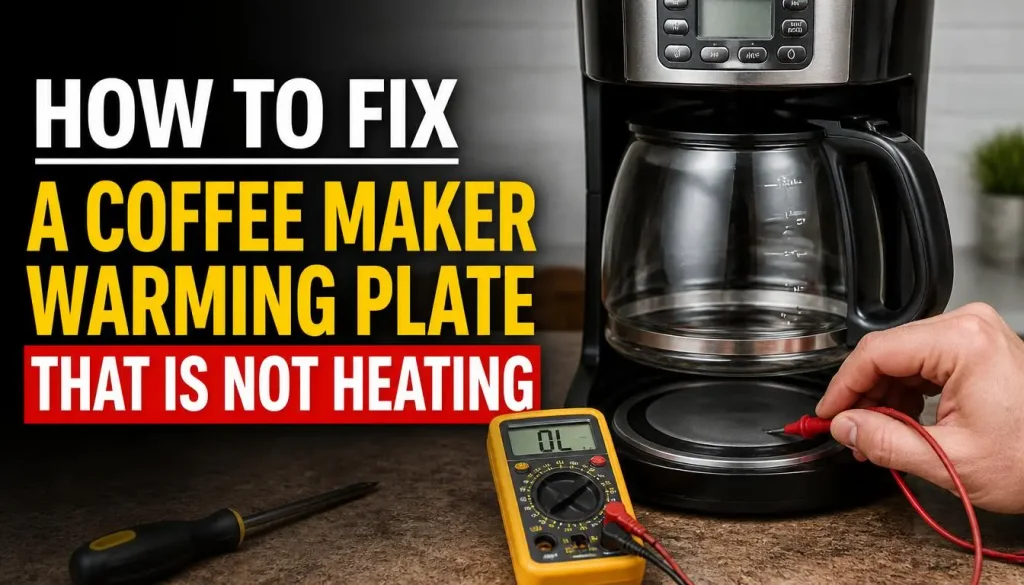
How to Fix a Coffee Maker Warming Plate That Is Not Heating
Work through these steps in order. Start with the easiest checks before assuming that the machine needs repair.
Step 1: Check the Keep-Warm Setting
Look for the Keep-Warm button, switch, or setting in the control menu.
Turn it on according to the manufacturer’s instructions. If the machine has a timer, make sure it is set to a suitable duration.
On some models, this function starts automatically. On others, you must activate it after brewing.
Step 2: Check the Automatic Shut-Off Timer
If the plate was working earlier, check whether the programmed timer has expired.
Some models allow you to adjust the Keep-Warm period, while others use a fixed duration.
If the machine has a timer setting, follow the manual to select the appropriate duration and reactivate the function when necessary.
Do not repeatedly restart the machine if you notice other signs of an electrical fault.
Step 3: Check the Brewing Mode and Carafe Size
Select a normal brewing mode that supports plate heating.
If your machine offers single-serve, half-carafe, and full-carafe options, check whether the selected size changes how the warming plate operates.
Read the model-specific instructions carefully. Some machines require separate activation for smaller batches.
Step 4: Check the Power Supply
If the machine is not responding normally, inspect the plug, outlet, power cord, and circuit breaker where appropriate.
Do not touch electrical connections with wet hands or handle plugs near spilled water.
If the cord or plug looks damaged, do not reconnect the machine. Seek qualified help instead.
Step 5: Clean the Warming Plate Safely
Coffee spills and sticky residue can collect on the warming plate, but cleaning will not repair a failed heating component.
To clean the plate safely:
- Turn off and unplug the coffee maker.
- Allow the machine and plate to cool completely.
- Wipe the plate with a soft, slightly damp cloth if the manufacturer permits this.
- Remove residue without scratching the surface.
- Dry the plate and surrounding area thoroughly before using the machine again.
Never pour water directly over the warming plate or immerse the electrical base in water.
For a more complete maintenance routine, read our guide on how often you should clean your coffee maker.
Step 6: Run a Normal Brewing Test
Once you have checked the settings and completed any necessary cleaning, test the machine according to its manual.
Use the normal brewing mode and activate Keep-Warm if required.
Observe whether the plate appears to operate as expected. Do not touch it with your hand to test its temperature. Some plates become hot enough to cause burns.
If the machine brews normally but the plate still does not heat, a component fault may need professional attention.
Step 7: Contact Manufacturer Support
If none of these steps works, stop troubleshooting and contact the manufacturer or a qualified repair technician.
Before contacting support, gather the following information:
- The coffee maker’s brand and model number.
- Whether the machine brews coffee normally.
- Whether the Keep-Warm indicator or timer works.
- Whether the plate has visible damage.
- Any unusual smells, sounds, or error messages.
These details can help the technician narrow down the possible cause.
Coffee Maker Warming Plate Troubleshooting Table
Use this table to identify the most appropriate next step based on what your machine is doing.
| What You Notice | Possible Cause | What to Do |
|---|---|---|
| Coffee brews, but the plate stays cold | Keep-Warm setting is off | Check the controls and timer |
| Plate turns off after a while | Auto Shut-Off timer | Check the programmed duration |
| Plate stays cold during iced coffee mode | Heating disabled for that mode | Select a supported brewing mode |
| The machine does not turn on | Power supply or internal fault | Check the power supply safely |
| The Keep-Warm light is on, but the plate stays cold | Possible heating circuit fault | Follow the manual, then contact support |
| Plate has a peeling or damaged surface | Warming plate deterioration | Stop using the affected function and contact support |
| Plate heats, but the coffee becomes cold | Heat loss or brewing temperature issue | Check the carafe and brewing settings |
These are possible explanations, not confirmed diagnoses. Follow the instructions for your specific model.
Why Is My Coffee Cold Even Though the Warming Plate Is Hot?
A hot warming plate does not always mean that your coffee will stay at the temperature you expect.
Several factors can contribute to cold coffee.
The Coffee Has Been Sitting for Too Long
A warming plate helps maintain heat, but coffee can still lose temperature over time. The result depends on the plate, carafe, amount of coffee, and room conditions.
Brew a fresh batch if the existing coffee has become cold. The warming plate is not designed to make every cold drink hot again.
The Carafe Is Losing Heat
A cold glass carafe can absorb some heat from the coffee. An unsuitable or damaged carafe may also affect how well the coffee retains its temperature.
Use the correct carafe for your machine and follow the manufacturer’s recommendations.
The Brewing Temperature Is Too Low
If coffee comes out cooler than expected, the brewing system may need attention even though the warming plate works.
Depending on the model, possible factors include temperature settings, mineral buildup, or a problem with the brewing heater.
Our guide on why a coffee maker makes weak or watery coffee covers related brewing problems, including issues that may affect the strength and quality of your coffee.
Can Descaling Fix a Coffee Maker Warming Plate That Is Not Hot?
Descaling can help with some coffee maker problems, but it is not a direct fix for every warming plate fault.
Descaling removes mineral deposits from the internal water system. Heavy buildup may restrict water flow or affect brewing temperature.
However, if the warming plate’s heating element, thermostat, thermal fuse, or electrical circuit has failed, descaling will not repair it.
Before descaling, check your machine’s maintenance instructions. Use an approved descaling solution and complete the required rinsing process.
If your machine develops another problem after descaling, do not automatically repeat the process. First identify the symptom and follow the appropriate troubleshooting steps.
Our guide on fixing a coffee maker that is not working after descaling explains how to check common issues after a cleaning cycle.
Is It Safe to Use a Coffee Maker With a Broken Warming Plate?
The answer depends on the type of fault.
If the warming function is simply switched off or the timer has expired, the machine may be operating normally. Check the manual before assuming there is a problem.
If the plate has failed but the rest of the coffee maker appears to work, do not assume that continued use is safe without checking the manufacturer’s guidance.
Stop using the machine if you notice:
- A burning smell or smoke.
- Sparks or unusual electrical noises.
- A damaged power cord or plug.
- A cracked or peeling warming plate.
- Repeated circuit breaker trips.
- Signs of water entering electrical components.
Do not attempt to bypass a safety component or use a damaged machine simply because it still brews coffee.
If there is a suspected electrical fault, disconnect the machine only if it is safe to do so. If accessing the plug would put you at risk, keep away and seek appropriate assistance.
Should You Repair or Replace a Coffee Maker With a Faulty Warming Plate?
Repair may make sense if your coffee maker is relatively new, still covered by warranty, or otherwise in good condition.
Replacement may be more practical if the machine is old, several components have failed, or the repair cost is close to the price of a suitable new model.
Consider these factors before deciding:
| Factor | Repair May Make Sense When | Replacement May Make Sense When |
|---|---|---|
| Warranty | The fault may be covered | Warranty has expired and repair is costly |
| Machine condition | Other functions work normally | Several parts have failed |
| Parts availability | Approved parts are available | Required parts are unavailable |
| Repair cost | Repair is reasonably priced | Repair approaches the cost of a new machine |
| Safety | A qualified technician can restore safe operation | The machine has serious damage or repeated faults |
Contact the manufacturer before purchasing a replacement heating plate. Not every model has a user-replaceable plate, and using an incompatible part can create safety problems.
How to Prevent Coffee Maker Warming Plate Problems
Regular maintenance may help you identify problems early and keep your coffee maker working as intended.
Follow the Manufacturer’s Cleaning Instructions
Clean removable parts and wipe spills as recommended. Keep coffee residue from building up on accessible surfaces.
Use the Correct Carafe
Use a carafe designed for your coffee maker. An unsuitable carafe may not fit properly or may not work as intended with the warming plate.
Avoid Scratching the Warming Plate
Once the machine is unplugged and cool, clean the plate gently. Avoid abrasive tools and cleaners that may damage its surface.
Use the Correct Brewing Settings
Understand which modes activate the warming plate and how the timer works.
If your model requires manual activation, make that part of your normal brewing routine.
Descale When Recommended
Follow your machine’s maintenance schedule and water-quality recommendations. Do not assume that frequent descaling will prevent or repair every heating problem.
Watch for Unusual Changes
A sudden change in heating behaviour, persistent burning smell, damaged coating, or repeated electrical fault deserves attention.
Addressing these warning signs early is better than continuing to use a machine that may be unsafe.
Frequently Asked Questions
Why Is My Coffee Maker Brewing Coffee but the Warming Plate Is Cold?
The Keep-Warm setting may be off, the automatic shut-off timer may have expired, or your selected brewing mode may not support plate heating. If those settings are correct, the heating element or control circuit may need professional inspection.
Should a Coffee Maker Warming Plate Get Hot Immediately?
The time it takes to heat varies by model. Some plates activate automatically during or after brewing, while others require manual activation. Follow the manufacturer’s instructions and never touch the plate to check whether it is heating.
Why Does My Coffee Maker Warming Plate Turn Off After Brewing?
Many coffee makers have an automatic shut-off timer. Others require you to activate Keep-Warm after brewing or after changing certain settings. Check the timer and operating mode before assuming the plate is broken.
Why Is My Warming Plate Not Working on Single-Serve Mode?
Some coffee makers do not automatically activate the warming plate during single-serve brewing. Certain models allow you to turn on Keep-Warm manually after brewing, while others may not support the function in that mode.
Can I Replace a Coffee Maker Warming Plate?
Replacement may be possible for some models, but it depends on the design and parts availability. Check the manufacturer’s support information and warranty before purchasing parts. Internal electrical repairs should be handled by a qualified technician.
Will Descaling Make My Coffee Maker Warming Plate Work Again?
Not usually if the problem is a failed heating element or electrical component. Descaling may improve water flow and brewing performance when mineral buildup is responsible for those problems, but it cannot reliably repair a faulty warming plate.
Can I Use My Coffee Maker if the Warming Plate Is Broken?
Do not assume that it is safe. Check the manufacturer’s instructions and stop using the machine if there are signs of electrical damage, smoke, a burning smell, or a damaged plate. Contact support if the cause is unclear.
Does Every Drip Coffee Maker Have a Warming Plate?
No. Many drip coffee makers with glass carafes use a warming plate, while thermal-carafe models often keep coffee warm through insulation instead. Check your model’s specifications before troubleshooting a plate that may not exist.
Final Thoughts
When your coffee maker warming plate is not hot, start with the simple checks. Confirm that Keep-Warm is enabled, the timer has not expired, and the selected brewing mode supports plate heating. Then inspect the power supply and follow the correct procedure for your model.
If the machine brews normally but the plate remains cold after these checks, the warming plate or an internal electrical component may be faulty. Descaling will not repair a failed electrical component, and opening the machine without the necessary skills can create additional risks.
Always follow your coffee maker’s official instructions. With the correct troubleshooting steps, you can determine whether the problem comes from a setting, a normal shut-off feature, or a fault that needs professional repair.

“I believe great cooking starts with the right tools, trusted advice, and a little confidence in the kitchen.”
Hi, I’m Emma Carter. My love for cooking began in my grandmother’s kitchen, where I learned that every great meal starts with simple ingredients and the right cookware. Over the years, I’ve spent countless hours researching, testing, and comparing kitchen appliances, cookware, coffee makers, air fryers, and other everyday kitchen essentials.
Here at KiCook, my goal is to make your buying decisions easier with honest product reviews, practical buying guides, and easy-to-follow cooking tips. Whether you’re upgrading your kitchen or searching for the best appliance for your home, I focus on providing clear, reliable, and research-backed information you can trust.
When I’m not testing new kitchen gadgets or writing in-depth guides, you’ll usually find me trying new recipes, visiting local farmers’ markets, or enjoying a quiet cup of coffee while planning my next kitchen project.